

https://.
In the previous version this type was called URL.
- Reference link to a product page or ticket.
- Document link to a shared file.
- Tracking link from a courier.
Properties
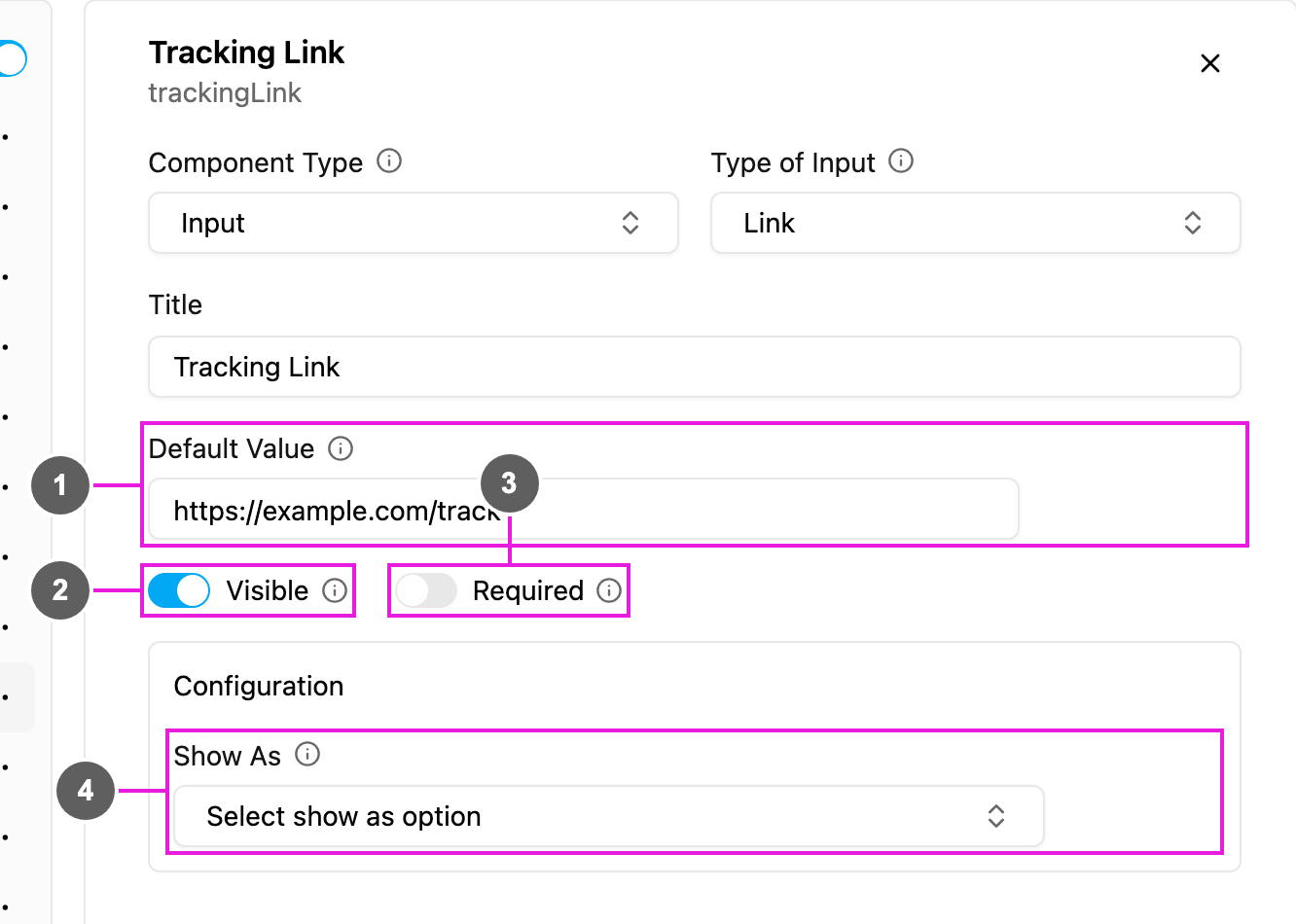
- Default Value: a link filled in for every new task.
- Visible: when off, the field is hidden on the web and the field app; its value is still kept and exported.
- Required: the task cannot be saved or finished until a link is entered.
- Show As: show the link in the task list as the task’s Title, Content or Label.
Showing the link on a later page
A View of type Link on a field app page can preview what the link points to: choose Image, Video or PDF in Type of Preview. For a video, Skipable decides whether the field worker must watch it to the end.On the field app
The field shows a text box withhttps:// as the placeholder. An entry that is not a valid link cannot be submitted. A link can be tapped to open it in the browser.