

Open your profile
Click your initials in the top right corner, then Profile. The Detail Profile dialog opens.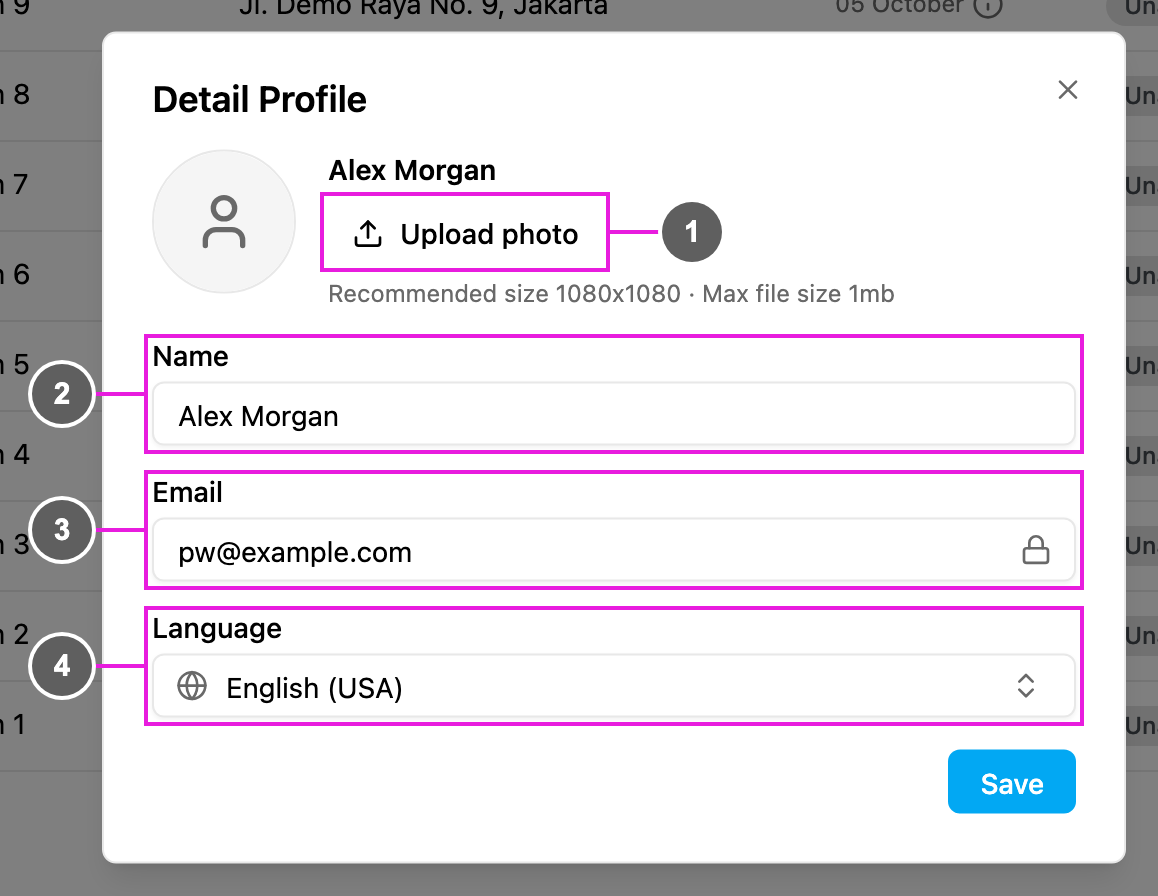
- Upload photo: choose a JPG, PNG or GIF picture. A square picture works best (1080 × 1080 is recommended), and the file can be at most 1 MB. The photo is saved as soon as you pick it. Once you have a photo, click Remove to go back to your initials.
- Name: the name shown in the top bar, in the assignee lists and on what you do in the app. It must be 30 characters or fewer and can contain letters, numbers, spaces, dots ( . ) and apostrophes ( ’ ).
- Email: the email you sign in with. It is locked and can’t be changed here.
- Language: the language of the web app for you. It starts with your organization’s language until you choose your own. The list shows each language with its country, for example English (USA) or Indonesia (IDN).
Changing your language changes only your own screens. To change the default language for everyone in the organization, see Currency and Language.
Related
- Switching Organization: move between the organizations you belong to.
- Password and Sign-in Security: your password and authenticator app.
- Notifications and Help: everything else in the profile menu.