

Required permission:
- View AI Insight (to ask questions)
- Delete AI Insight (to delete a conversation)
Start a conversation
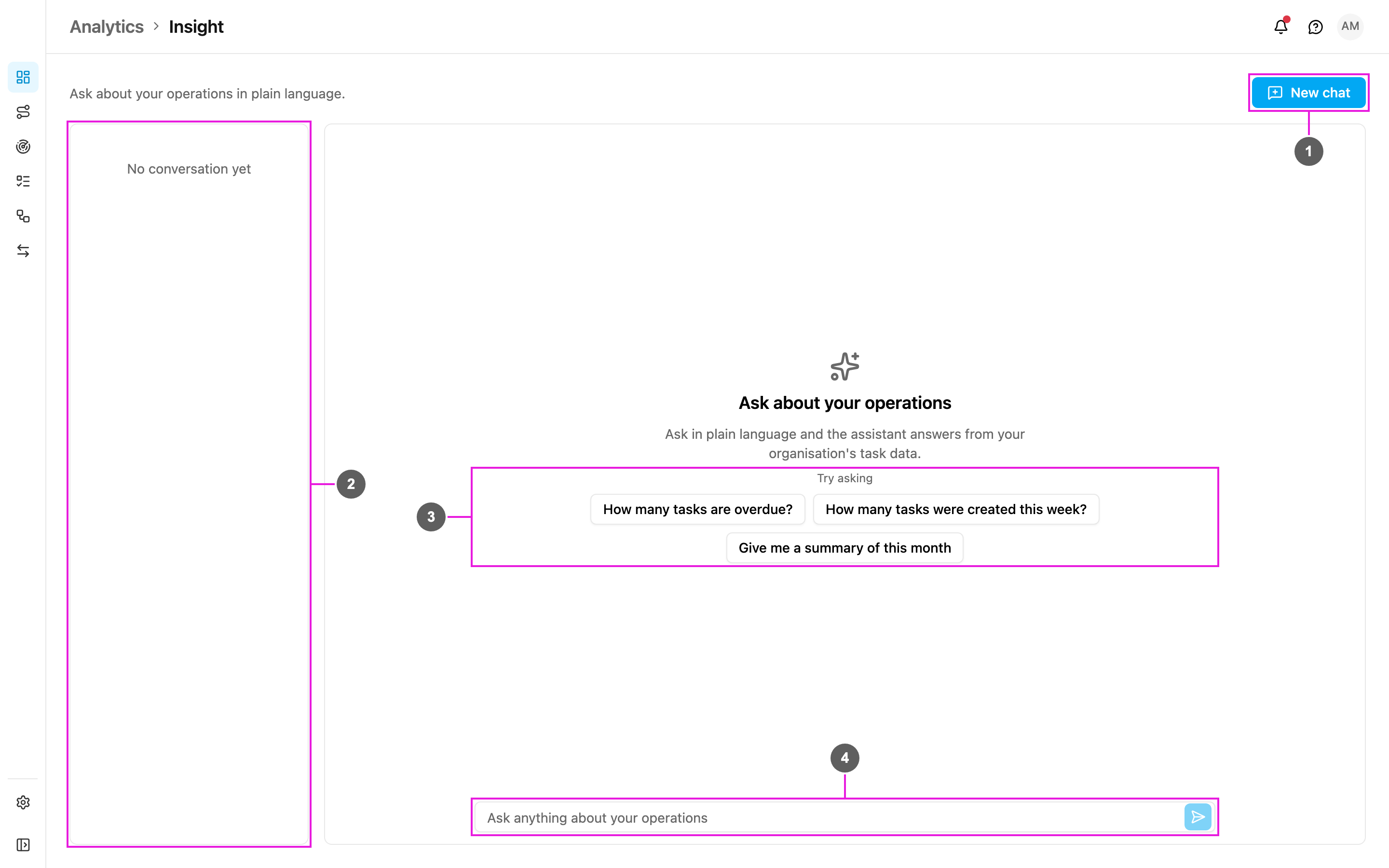
- New chat: start a fresh conversation. It clears the screen and shows the suggested questions again.
- Chat history: your earlier conversations. Before your first question it says No conversation yet.
- Try asking: suggested questions to get started. Click one to ask it straight away:
- How many tasks are overdue?
- How many tasks were created this week?
- Give me a summary of this month
- Ask anything about your operations: type your own question and press Enter or click Send.
A conversation
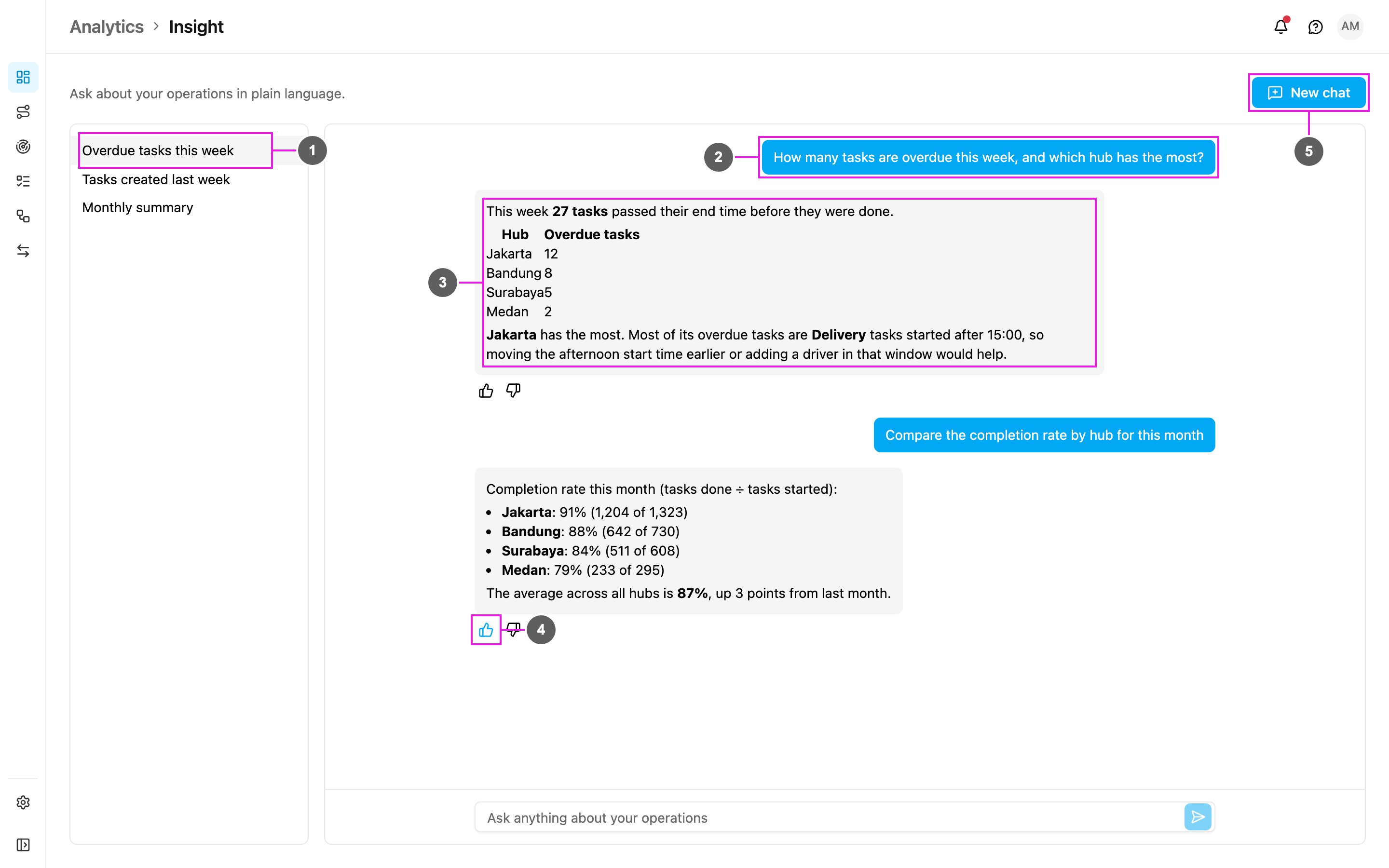
- Conversation: each conversation is saved automatically under a title taken from its first question. Click it to open it again and carry on.
- Your question: on the right.
- Answer: on the left, with figures in bold, lists and tables.
- Helpful / Not helpful: rate the answer with a thumbs up or down. The app says Thanks for the feedback. Your ratings help improve the answers.
- New chat: start another conversation.
Delete a conversation
- Find the conversation in the history.
- Click the trash icon next to it.
- Confirm with Delete. The conversation is removed for good.
Tips for good answers
- Name the time range: this week, this month, last 7 days.
- Ask about numbers and trends: counts, completion rates and comparisons between hubs, task types or people work best.
- Keep questions short and clear.
- Try the suggested questions to see what Insight can do.
- Ask follow-ups in the same conversation.