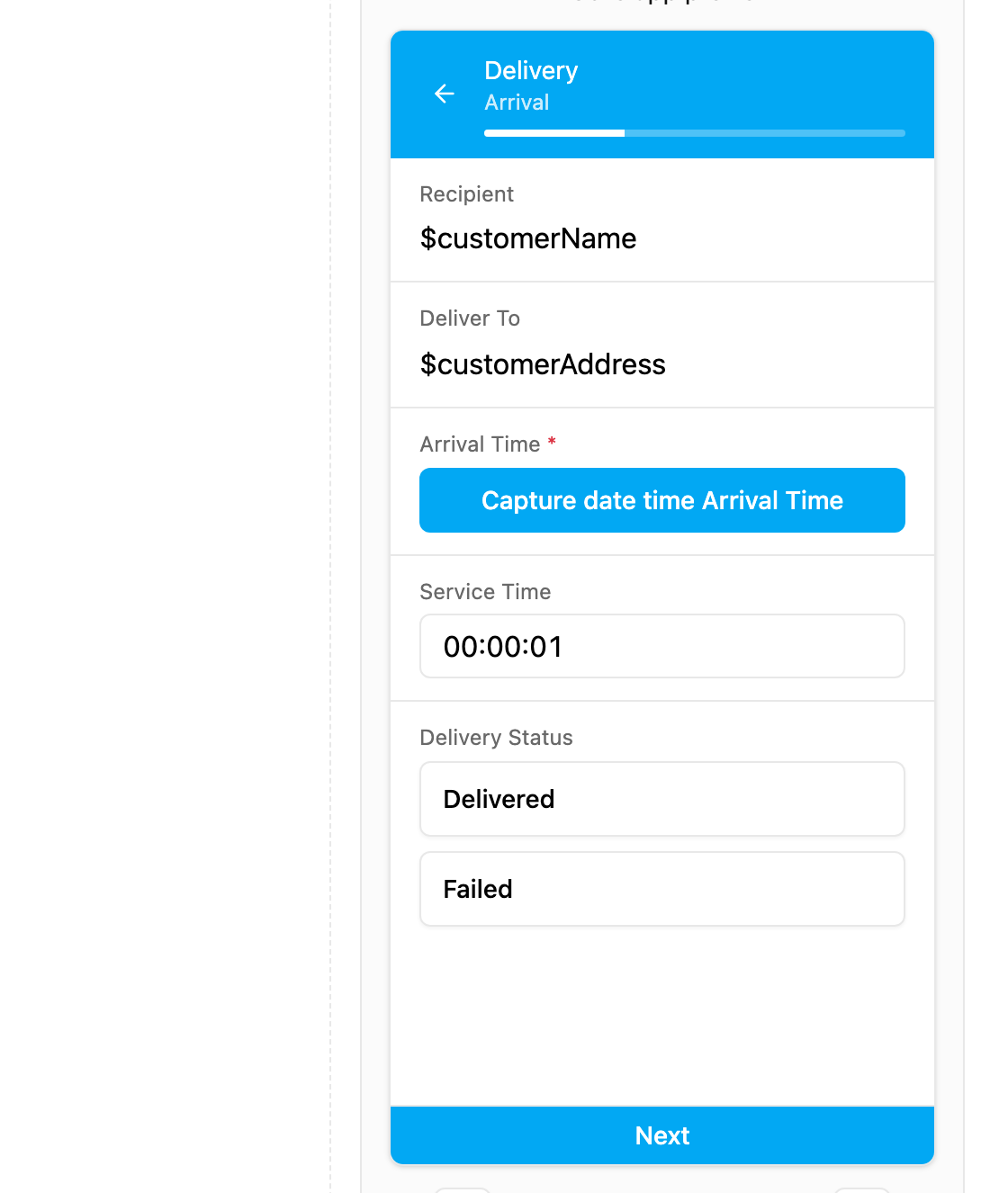
Capture can only go on field app pages, not on the Initial page.
- Arrival time at the customer.
- Departure time when the job is done.
- Check-in and check-out of a shift or a step.
- Event time: when a machine started or a sample was taken.
- Duration: two Captures on different pages show how long the task took.
Properties
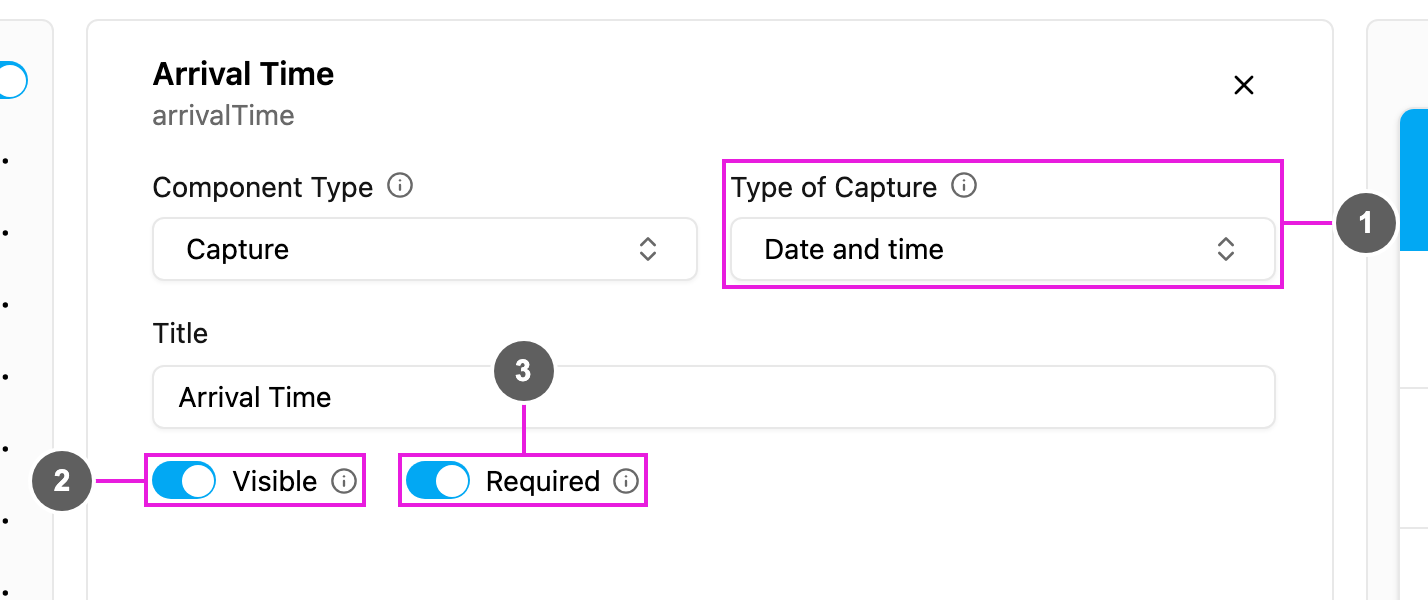
- Type of Capture: Date and time, the only type. The value is saved with the phone’s time zone.
- Visible: when off, the component is hidden on the field app; the time is still kept and exported.
- Required: the task cannot be finished until the time has been captured.
On the field app