Required permission:
- View Chat on Web
Choose the recipients
On Monitoring › Chat, tick the field workers you want to include.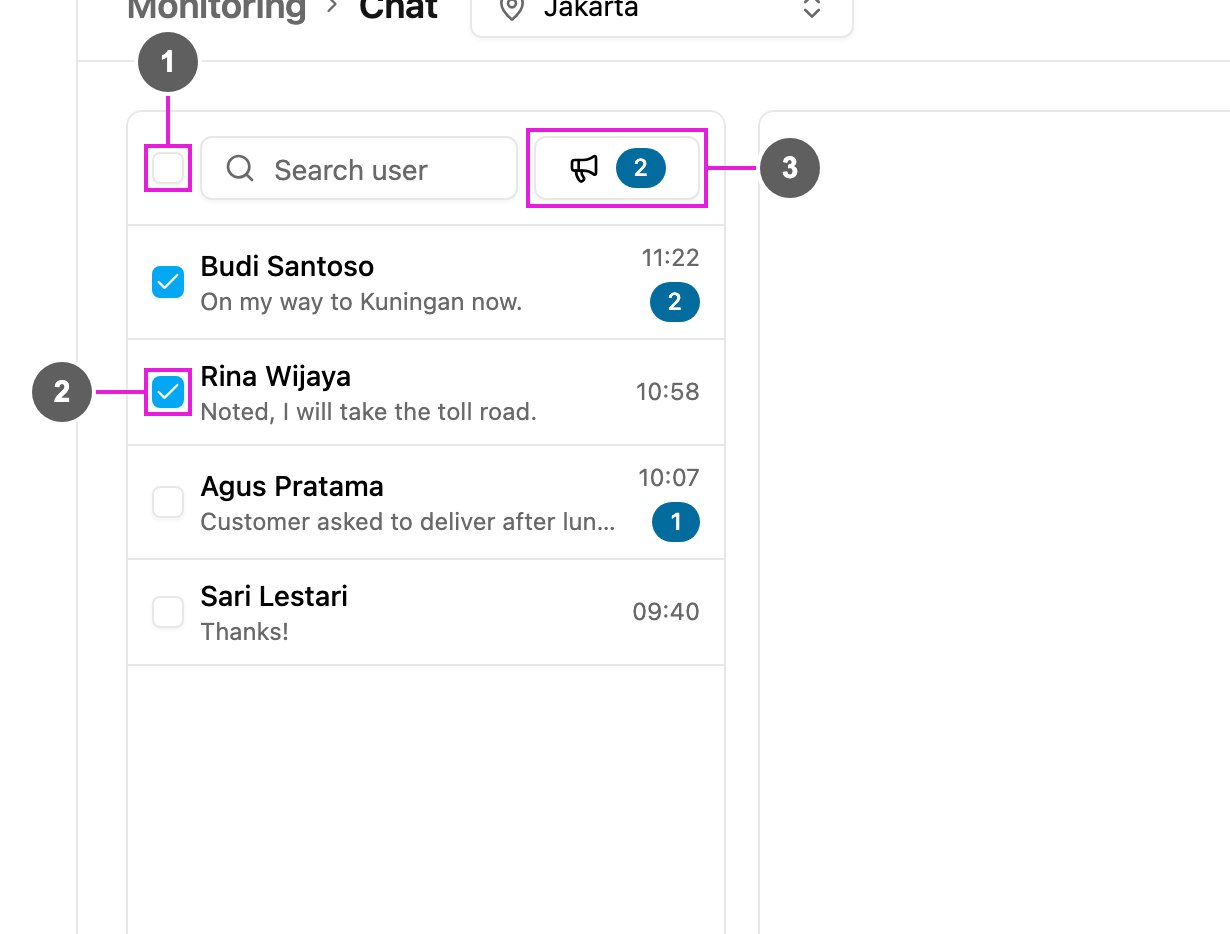
- Select all: tick everyone in the list. Click again to clear them all.
- Checkbox: tick one field worker. Ticking a row does not open the conversation.
- Broadcast: open the message window. The number on it is how many recipients are ticked. It is greyed out until you tick someone.
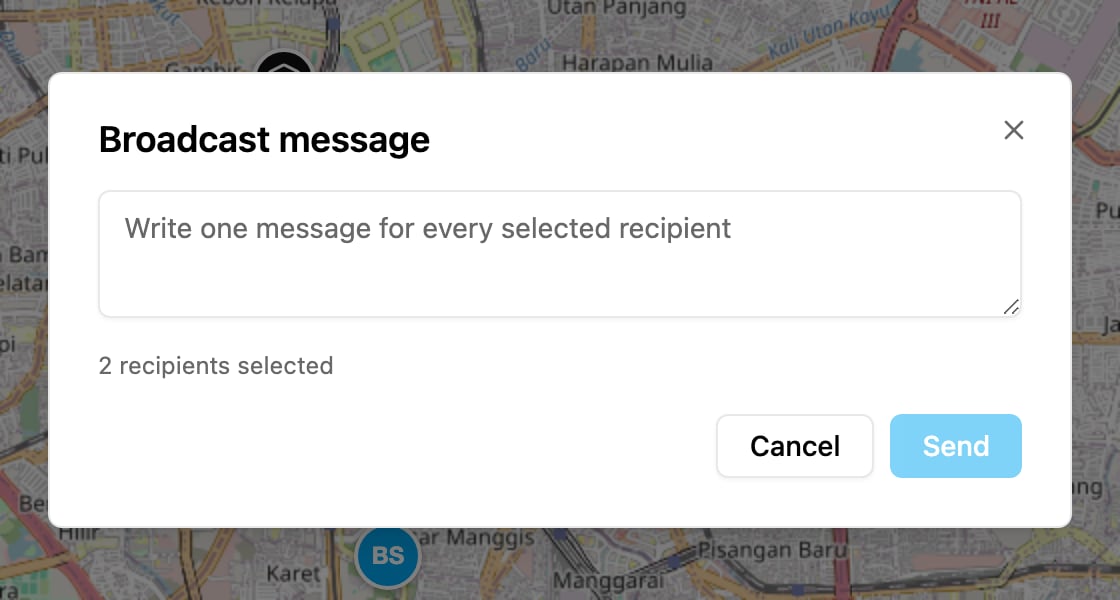
Send the message