

Required permission:
- View trash
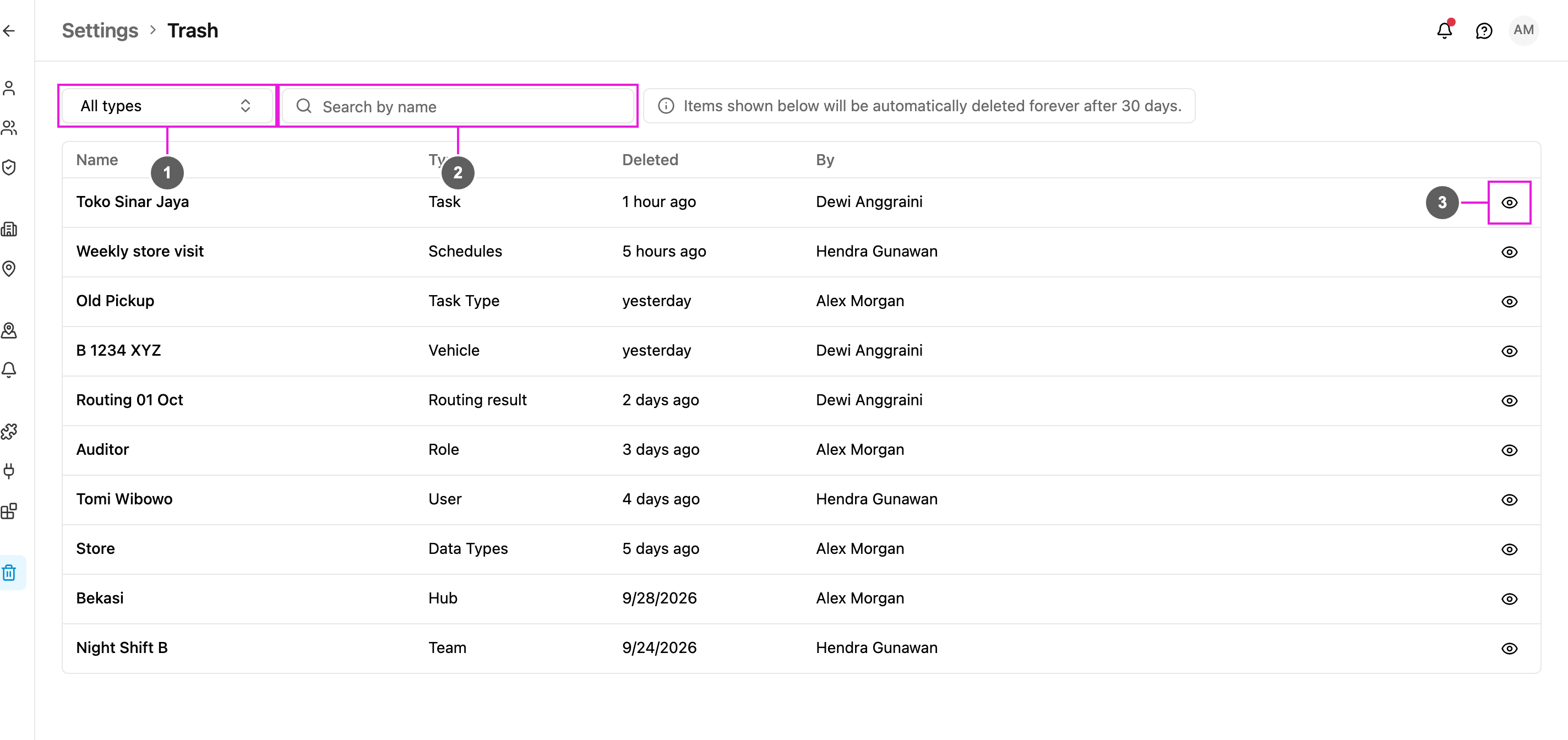
- Type: show only one type of deleted item, or All types.
- Search by name: find a deleted item by its name.
- View record: open the deleted item as it was when it was deleted.
Columns
The count above the table shows how many items match the current filter.
Types of deleted items
The Type filter covers:- Task Schedule
- Role
- Task
- Task Type
- Automation
- Routing result
- Data
- Data type
- User
- Vehicle
- Hub
- Team
- Geofence
- Custom module
- Location history
View a deleted record
Click View record (the eye button) on a row.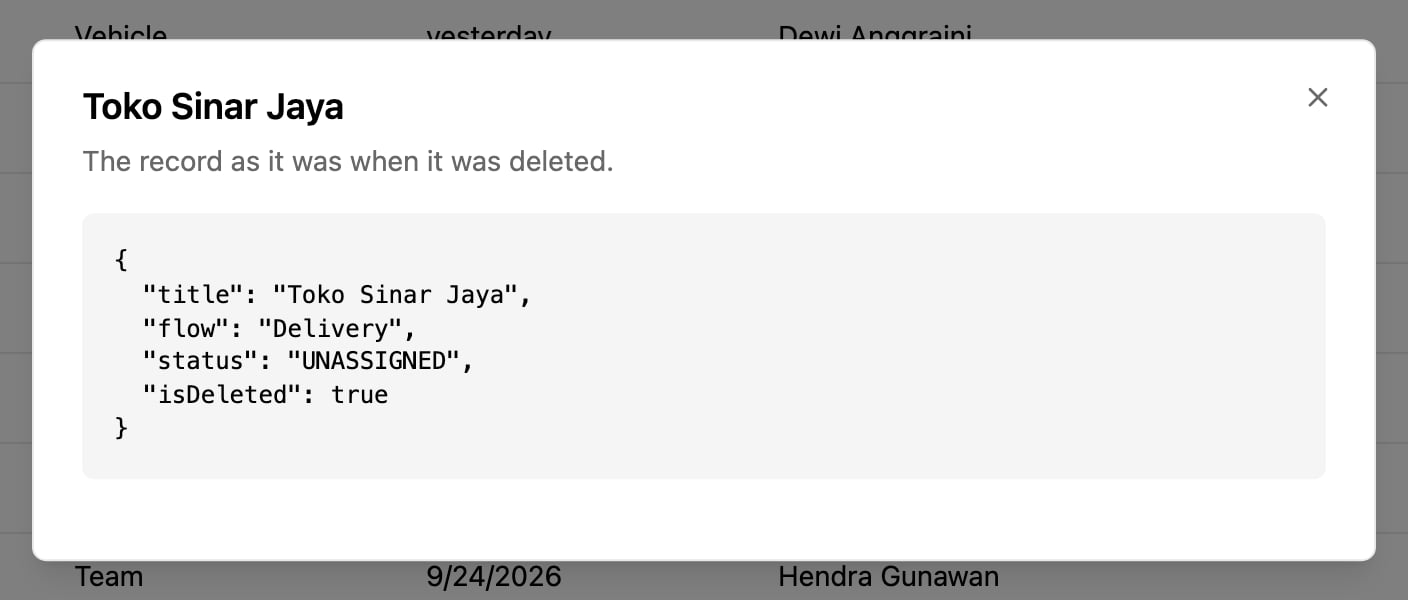
Trash is a read-only record. Deleted items cannot be restored from it. To bring something back, create it again, using the record as a reference.