Video records a short clip, or picks one from the phone’s gallery, as part of the task: a site condition, a proof of delivery or an unboxing.

Properties

Video properties
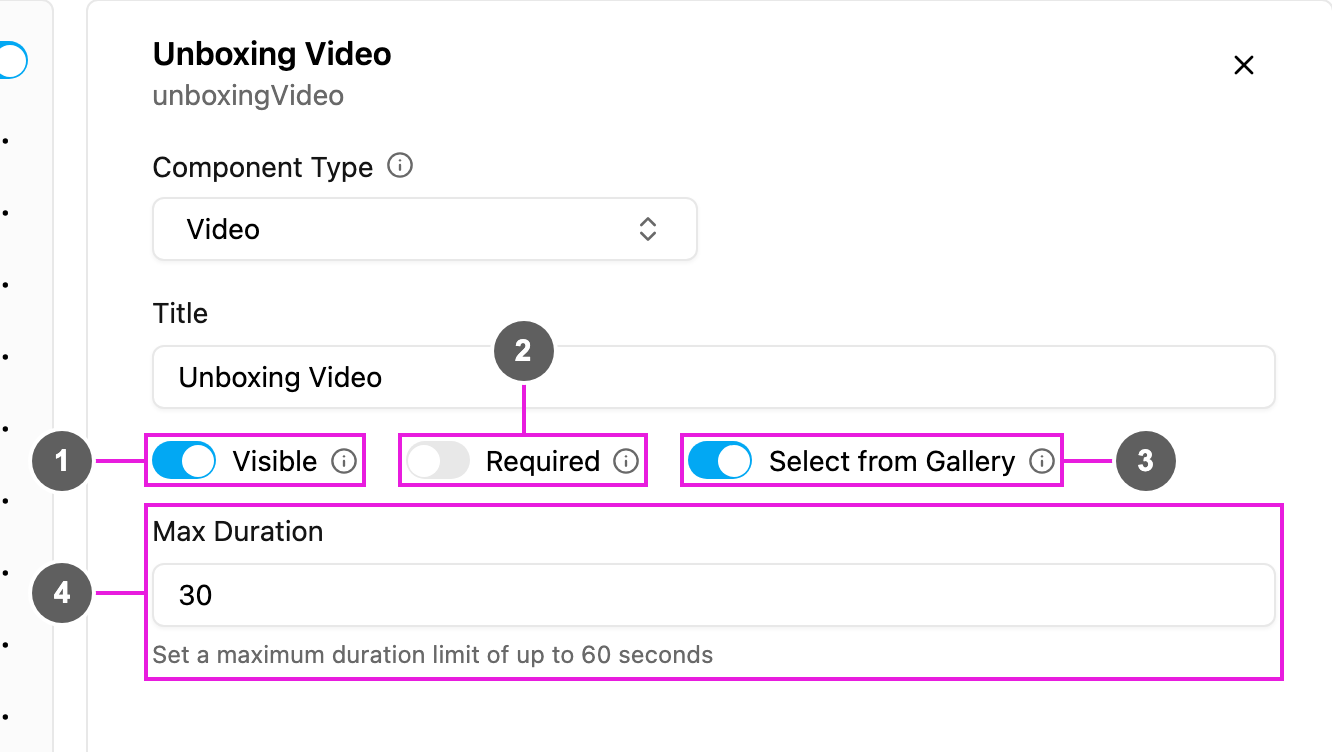
  1. Visible: when off, the component is hidden on the web and the field app; the video is still kept and exported.
  2. Required: the task cannot be finished until a video is added.
  3. Select from Gallery: let the worker pick an existing video. On by default.
  4. Max Duration: the longest recording, in seconds, from 1 to 60. The default is 30.

On the field app

The block shows Record a video. Recording stops at the Max Duration. With Select from Gallery on, the worker can choose an existing video instead. Video can be used on the Initial page and on field app pages, but not inside a Subpage.