

Required permission:
- View configuration
- Edit configuration
- Route optimization
How to use it
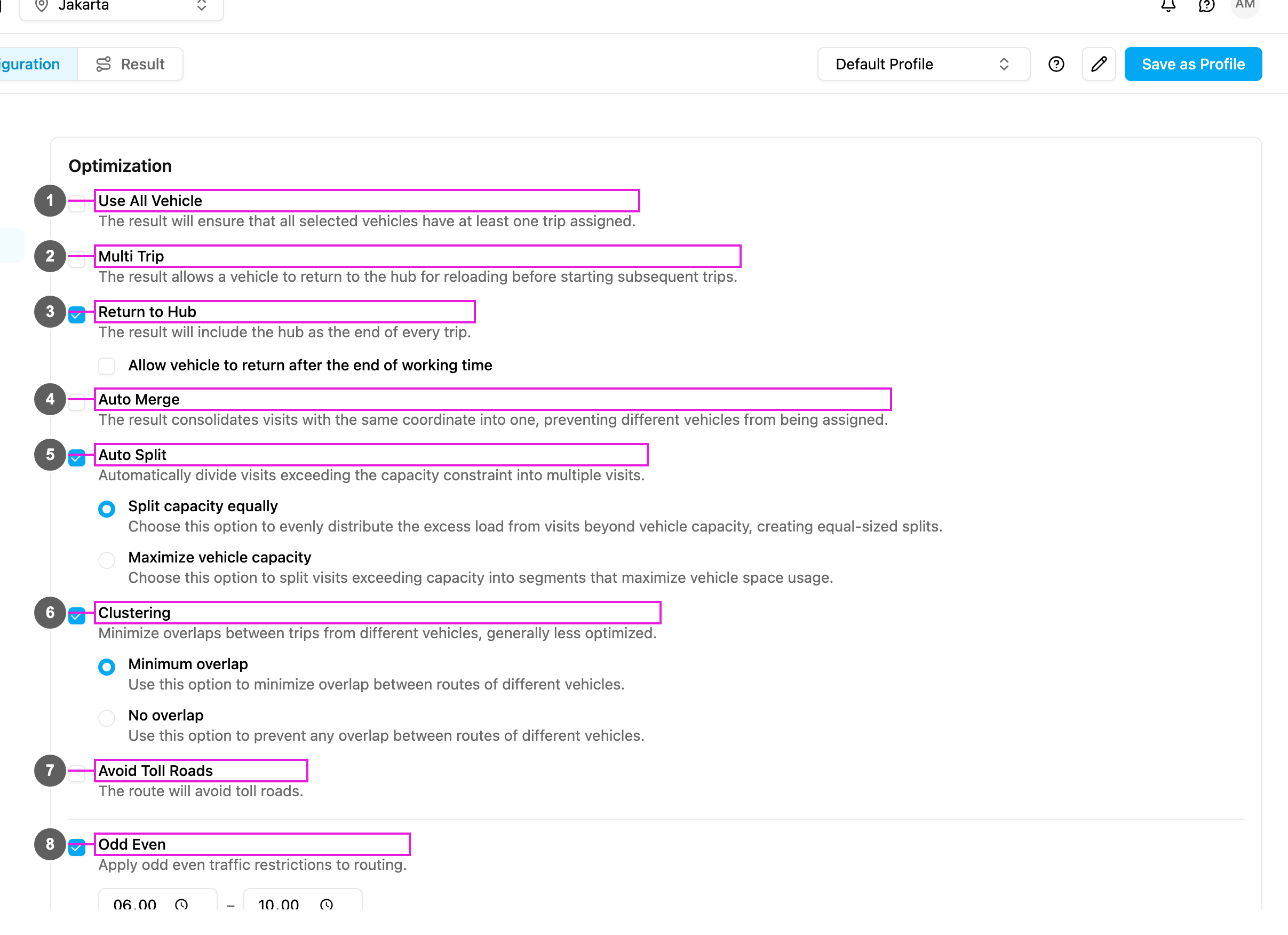
- Open Planning › Routing › Configuration and go to Optimization.
- Tick Odd Even (item 8 in the picture): Respect odd–even plate restrictions during these windows.
- Set the time windows when the rule applies. Two windows are filled in for you, 06:00 – 10:00 and 16:00 – 21:00. Change them to fit your needs; you can have up to two windows (Add window).
Notes
- The rule helps you plan routes that follow Jakarta’s odd-even road policy.
- Odd-even restrictions are only applied to roads in the Jakarta province, Indonesia.
- The setting is saved in the profile for future optimizations, and you can change it at any time.
- Unticking Odd Even also clears its time windows.