

- Vehicles return to the hub at the end of each trip.
- Routes have a clear end point for your operations.
- Multi Trip needs it.
- An extra option, Allow vehicle to return after the end of working time, lets the drive back go past the working hours.
Required permission:
- View configuration
- Edit configuration
Turning it on
- Open Planning › Routing › Configuration and go to Optimization.
- Tick Return to Hub (item 3 in the picture).
- If you need it, tick Allow vehicle to return after the end of working time under it.
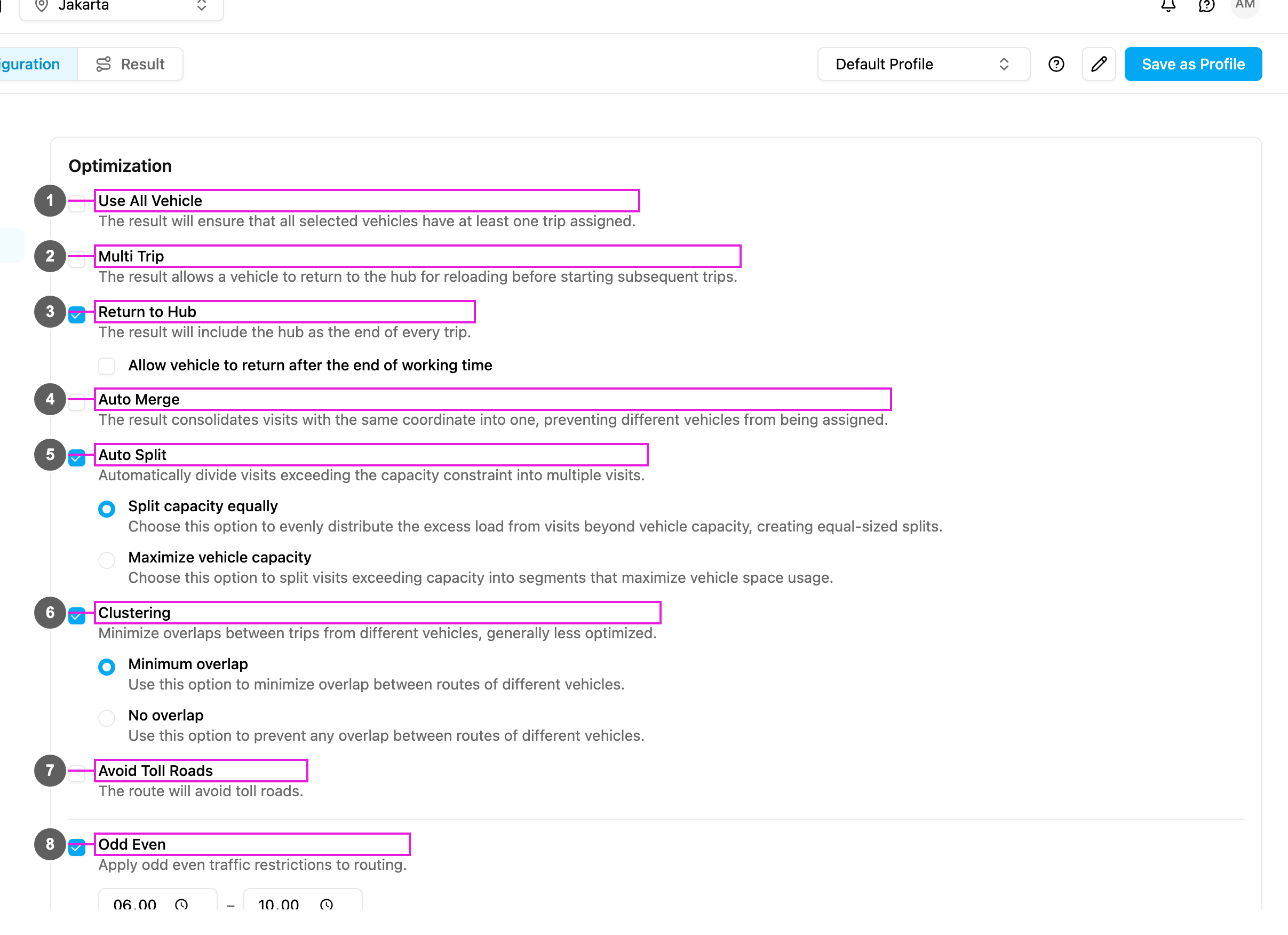
Options
Return to Hub: every route ends at the hub, wherever the last visit is. Allow vehicle to return after the end of working time: The vehicle may return to the hub once its working hours are over.- Ticked: every visit is still served inside the working hours, but the drive back to the hub may end after them.
- Not ticked (default): the whole route, including the drive back to the hub, must fit inside the working hours.
How it works
Use cases
Central fleet: vehicles are maintained and dispatched from one hub. With Return to Hub every vehicle comes back each day for inspection, refuelling and preparation for the next day. Driver commute: drivers leave their own vehicles at the hub. They start and end their shift in the same place. Multi-trip operations: vehicles make several rounds a day and reload at the hub in between. Return to Hub is turned on with Multi Trip. Stock and cash: drivers must count stock and deposit cash at the end of the day. Every driver ends at the hub. Busy seasons: the drive back might run past normal hours. Tick Allow vehicle to return after the end of working time: all visits are on time, and the drive back is flexible.When to use it
Use it when:- vehicles are parked and maintained at the hub,
- drivers start and end at the same place,
- you plan multiple trips,
- end-of-day procedures happen at the hub,
- security rules require vehicles to come back,
- fuel and maintenance are at the hub.
- the shortest distance matters most,
- vehicles are kept at different places,
- the next day starts where the previous day ended,
- the drive back adds a lot of cost.
Return to Hub and Multi Trip
Return to Hub also works with Use All Vehicle, Clustering (expect longer drives back) and capacity constraints (to reload).