

Required permission:
- View result
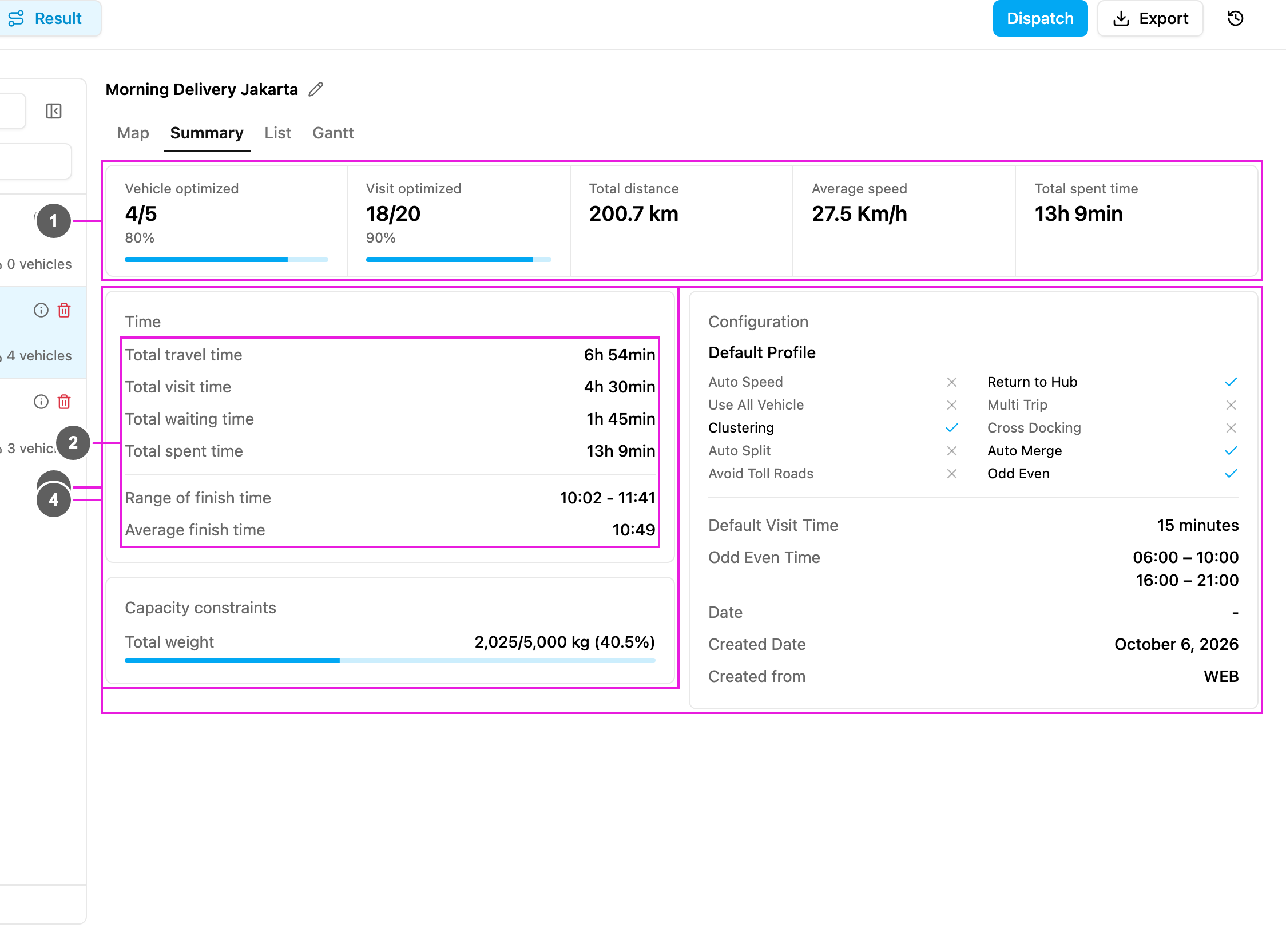
- Vehicles and visits: how much of the fleet and of the visits the result uses.
- Time: the time totals of all used vehicles.
- Capacity constraints: how much capacity is used.
- Configuration: the settings the optimization used.
Vehicles and visits
Time
Capacity constraints
One line per capacity constraint of the configuration, for example Total weight 2,025/5,000 kg (40.5%): 2,025 kg is planned out of the 5,000 kg the used vehicles can carry together. No capacity constraints shows when the configuration has none.Configuration
The settings used for this optimization: the profile name (for example Default Profile), then a check mark or a cross for Auto Speed, Use All Vehicle, Clustering, Auto Split, Avoid Toll Roads, Return to Hub, Multi Trip, Cross Docking, Auto Merge and Odd Even. Below that:- Default Visit Time, for example 15 minutes.
- Odd Even Time: the odd-even windows, when Odd Even is on.
- Date: the routing date picked on the Visit page, when Odd Even is on.
- Created Date: when the result was created.
- Created from: where the optimization was started, for example WEB.