

Required permission:
- View result
- Edit result (move a dropped visit to a vehicle)
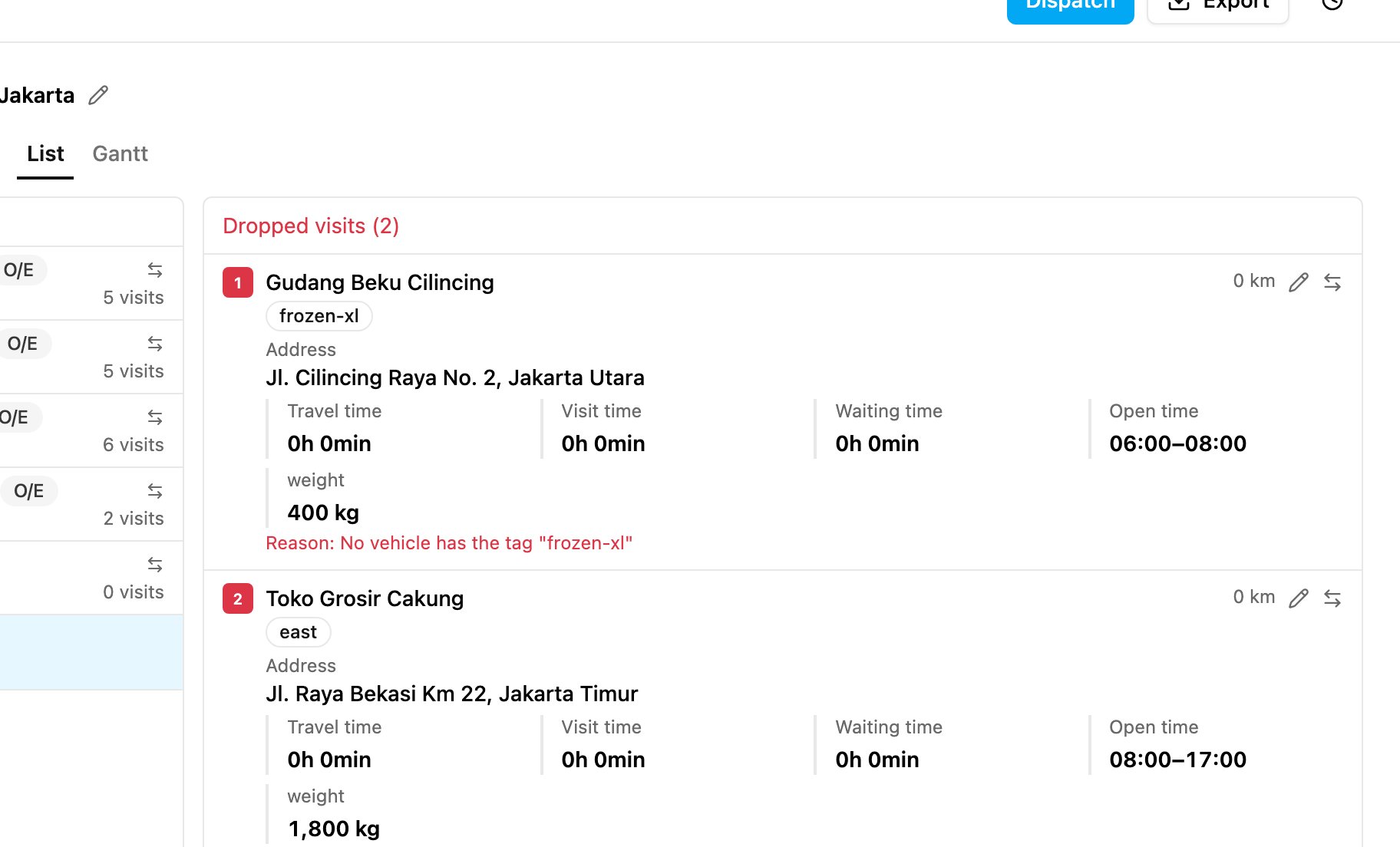
Why a visit is dropped
Next steps
After fixing the data, optimize again. Or move the dropped visit to a suitable vehicle by hand with Move visit (see Editing).Avoiding dropped visits
- Check the coordinates: make sure every visit has a valid location (a green pin on the Visit page).
- Balance capacity: match what the visits need with what the vehicles can carry.
- Line up times: make sure the visits’ open times fit the vehicles’ working times.
- Keep tags consistent: tag visits and vehicles the same way.