

The schedule list
Required permission:
- View Schedule (Routing Schedule)
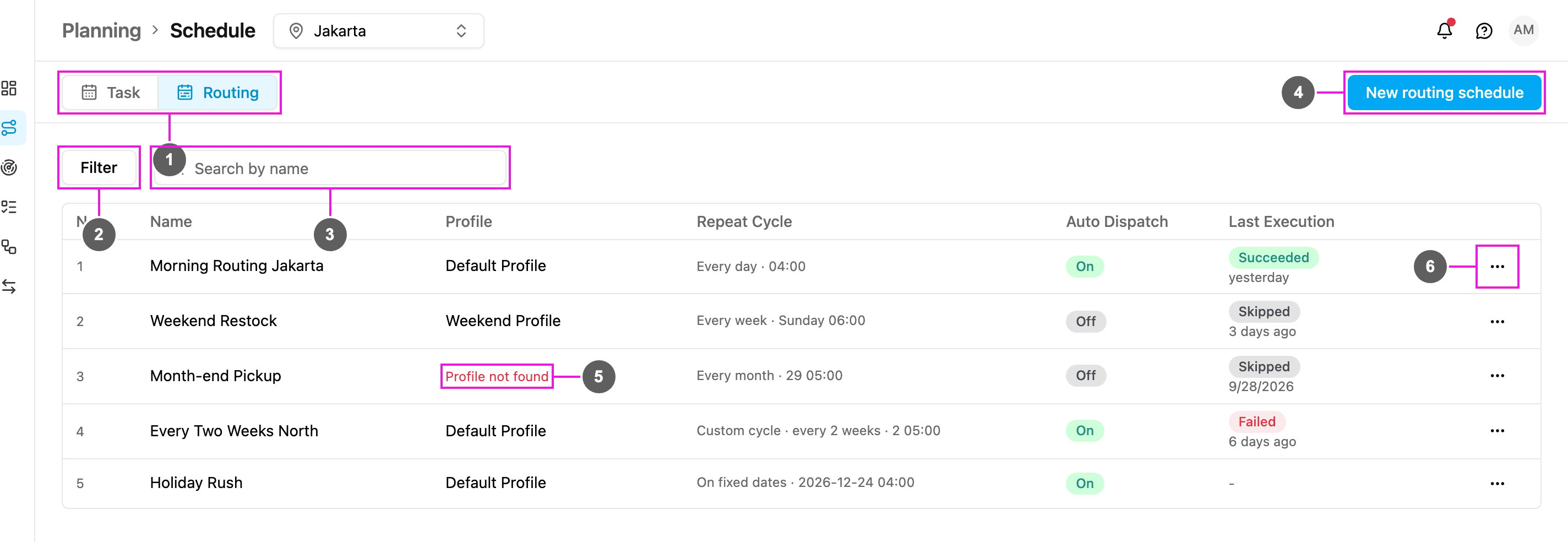
- Task / Routing: switch between task schedules and routing schedules.
- Filter: show only schedules whose last run has a given status. Click Reset all to clear it.
- Search by name: find a schedule by part of its name. The search and the filter work together.
- New routing schedule: create a schedule. See Creating a Routing Schedule.
- Profile not found: the profile this schedule used has been deleted. The schedule is skipped on every run until you edit it and choose a profile that exists.
- Routing schedule actions: View, Edit or Delete the schedule.
The count above the table shows how many schedules there are, or how many match your filters.
Last execution
This is the column to read when a schedule isn’t producing what you expect. It shows a badge for the last run. Hover it to see the exact time of that run.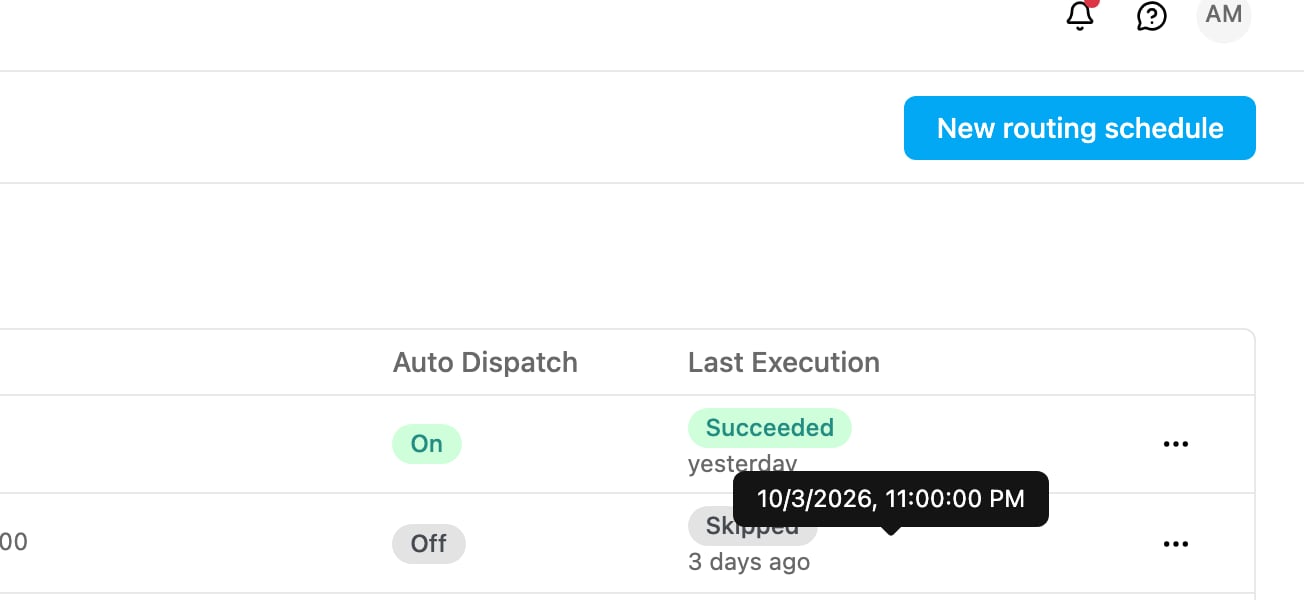
A schedule that hasn’t run yet shows Not run yet.
The list shows only the most recent run. To see everything a schedule has produced over time, open Planning › Routing › Result, where every scheduled result is listed with the others.
View a schedule
Choose View from the row menu to open the schedule’s detail.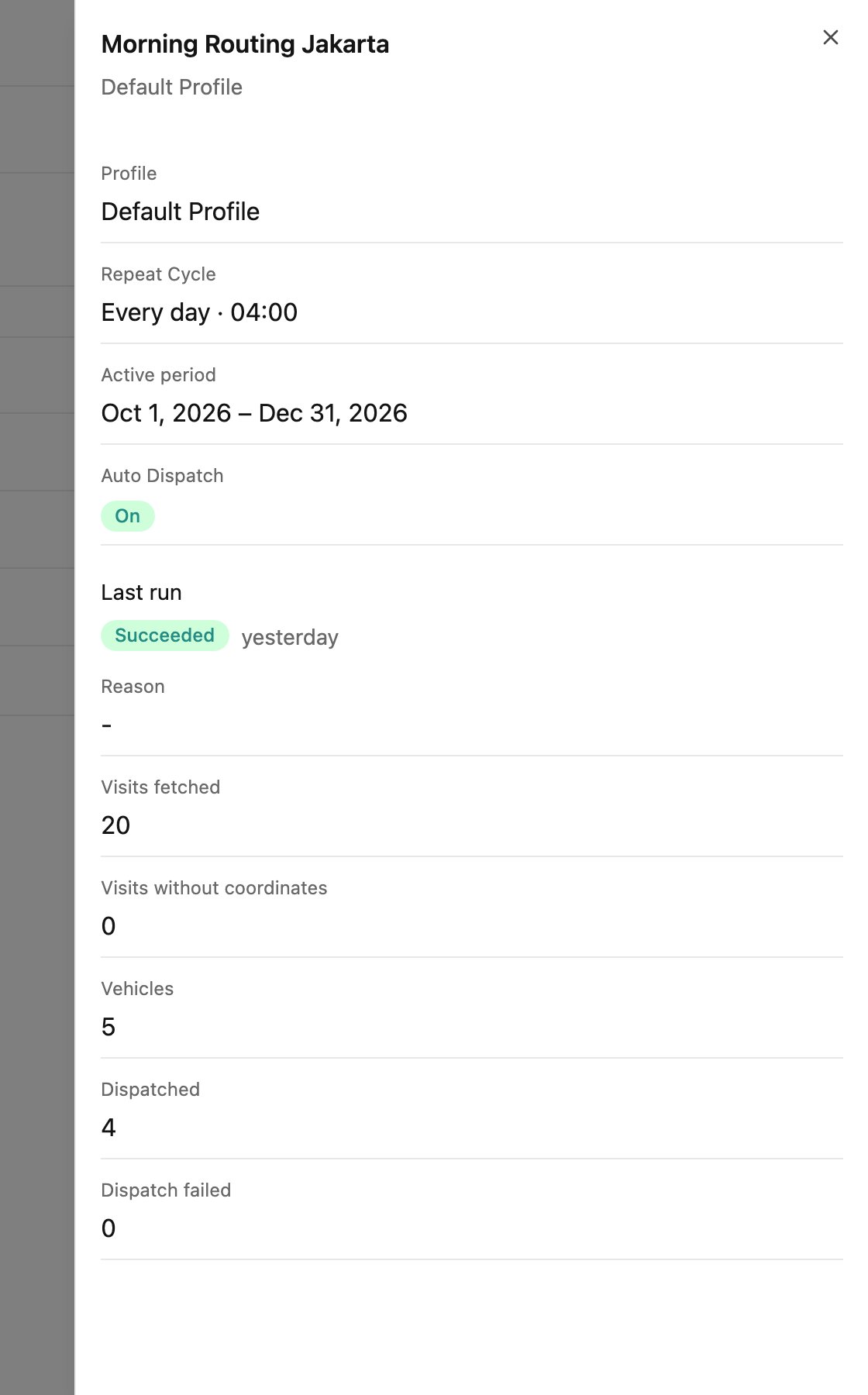
Why a run was skipped or failed
When a run can’t go ahead, it is skipped instead of left half-finished, and the reason is recorded in Reason.
Two reasons show as Failed, because the run did start:
A skipped or failed run is never retried automatically. The schedule simply runs again at its next scheduled time.
Edit a schedule
Required permission:
- View Schedule (Routing Schedule)
- Edit Schedule (Routing Schedule)
You rarely need to edit a schedule just because the routing must change. Vehicles, constraints and optimization settings live on the configuration profile, and each run reads the profile fresh, so editing the profile is usually enough.
Delete a schedule
Required permission:
- View Schedule (Routing Schedule)
- Delete Schedule (Routing Schedule)
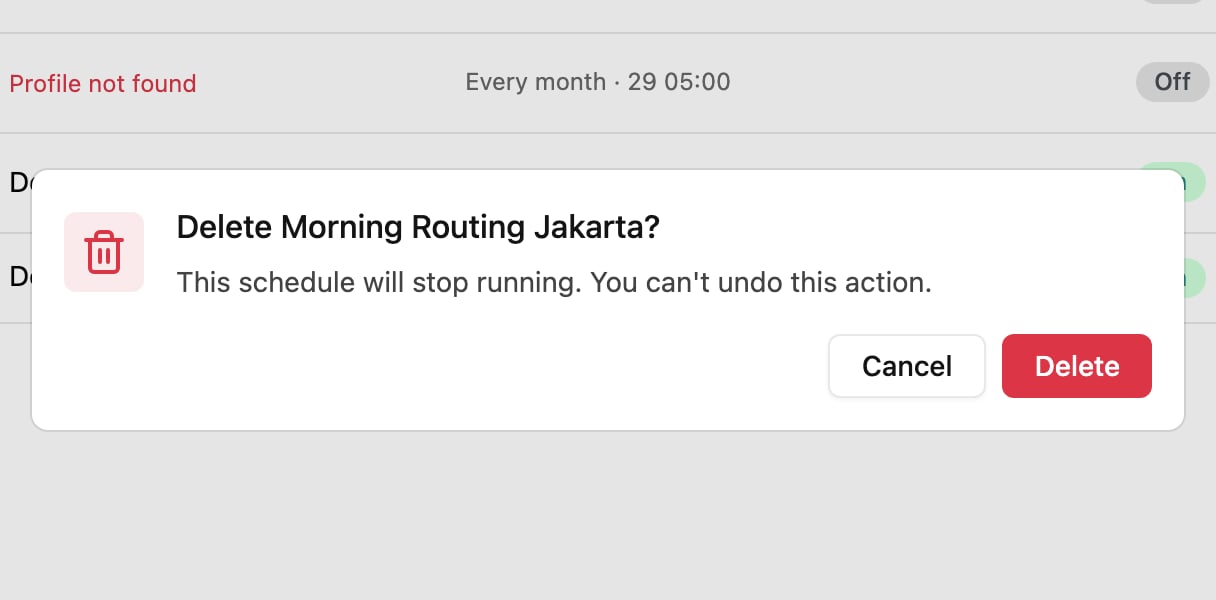
Deleting is the way to stop a schedule; there is no on/off switch. If you might want it back later, note its profile, name and repeat cycle before deleting it.