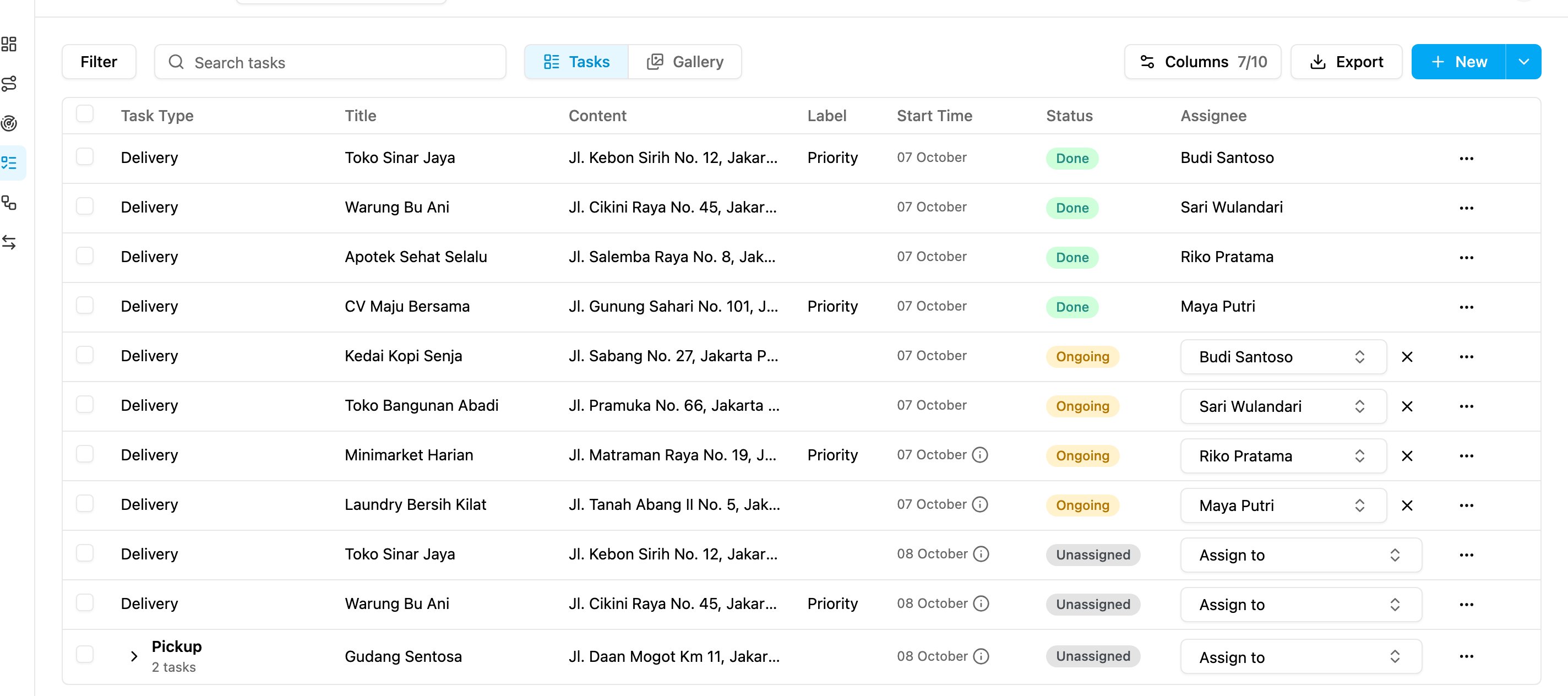
Required permission:
- View task
Choose columns
Open Activities › Task and click Columns.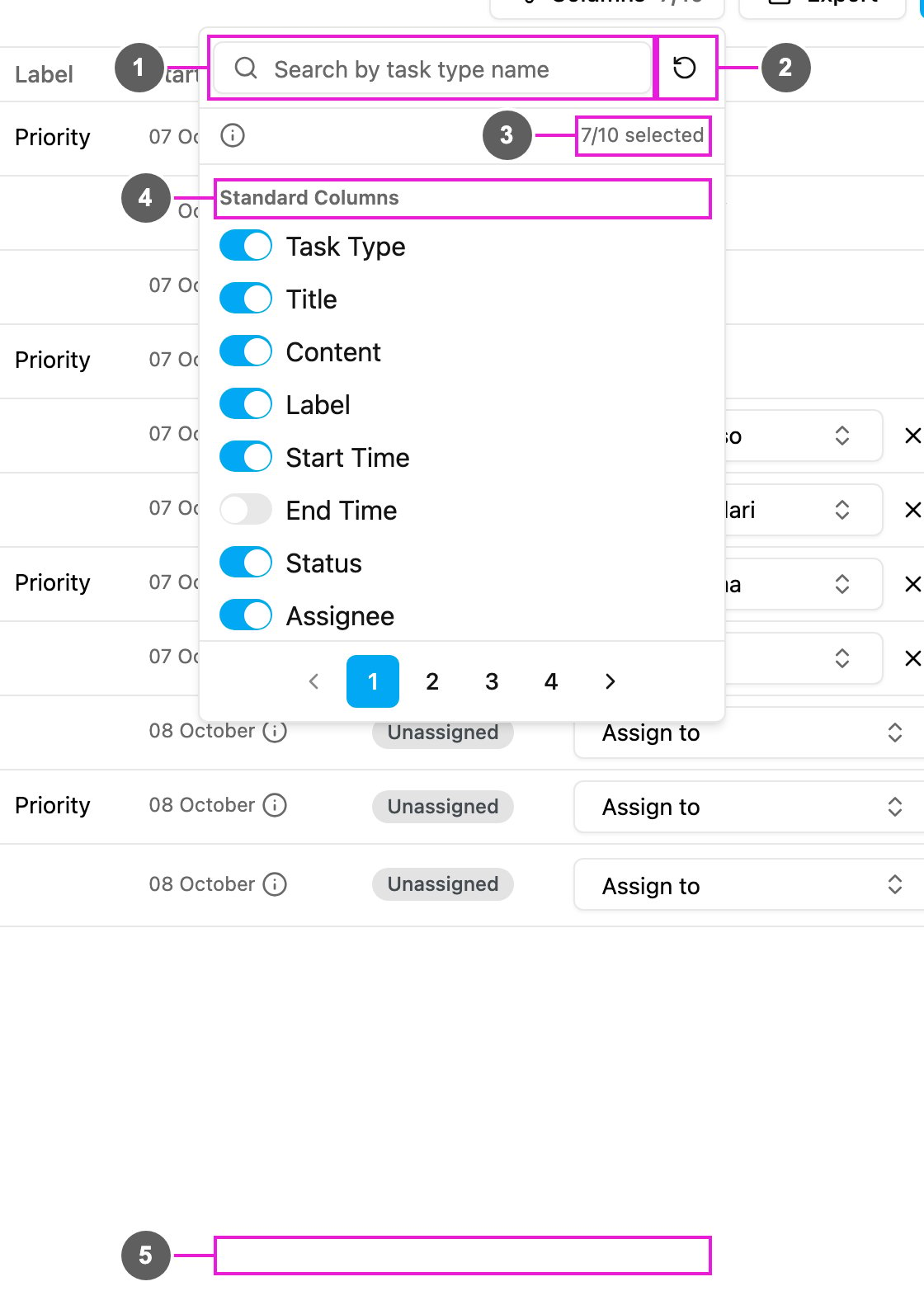
- Search by task type name: find a column, or the task type whose fields you want.
- Reset to the default columns: go back to the seven default columns.
- Counter: how many columns are on, out of ten. Point at the i icon to read which fields can be added: input, select and most view fields from every task type.
- Standard Columns: the columns every task has. Turn one on or off with its switch.
- Task type groups: after the standard columns come the fields of each task type, one group per task type, page by page.