

Required permission:
- View task
- Delete task
Delete one task
Click Task actions at the end of the row and choose Delete. Delete this task? asks you to confirm: the task is deleted and the action cannot be undone.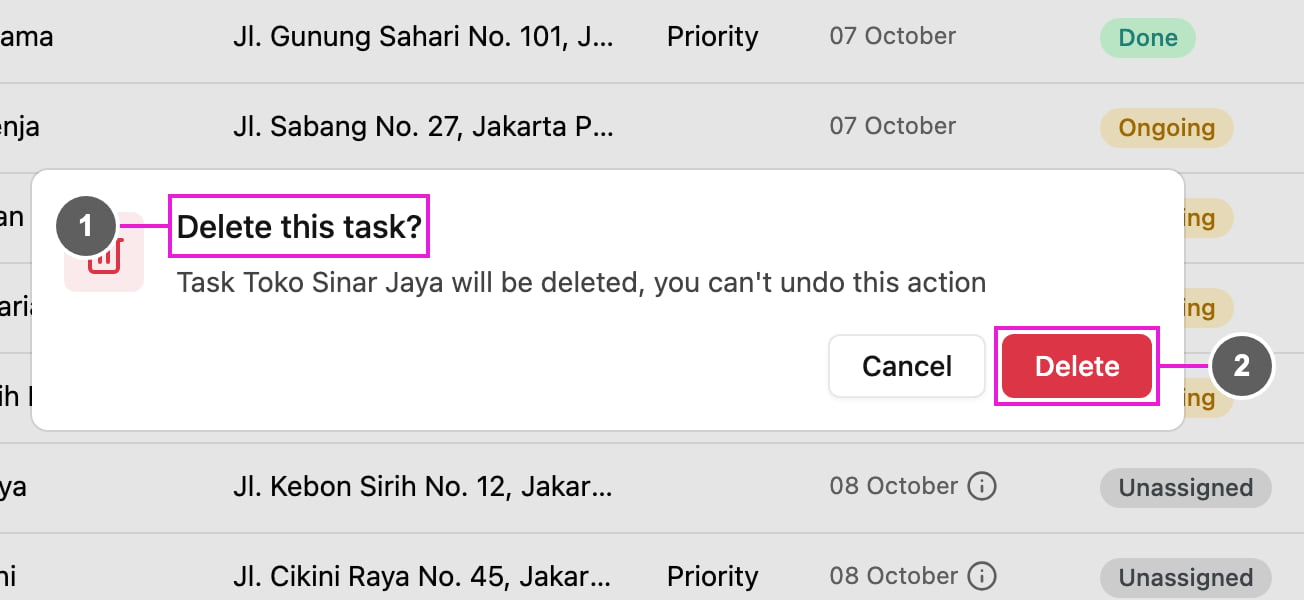
- Delete this task?: names the task that will be deleted.
- Delete: confirm.
Delete many tasks
Tick the tasks, then click Delete in the bar that appears above the list. Delete tasks? says how many tasks will be deleted. See Assigning Tasks for the bar.What cannot be deleted
- A task that is Done cannot be deleted: Delete is not offered for it, and done tasks among ticked ones are skipped with a message.
- A subtask cannot be deleted on its own. Delete its main task instead.
- When you delete the main task of a subflow, Subflow delete confirmation lists every task in the subflow, because they are all deleted together. Click Yes, keep going to delete them.
- A task shared to you by another organization can only be deleted by the organization that created it.