

Required permission:
- View organization
- Edit organization (to make changes)
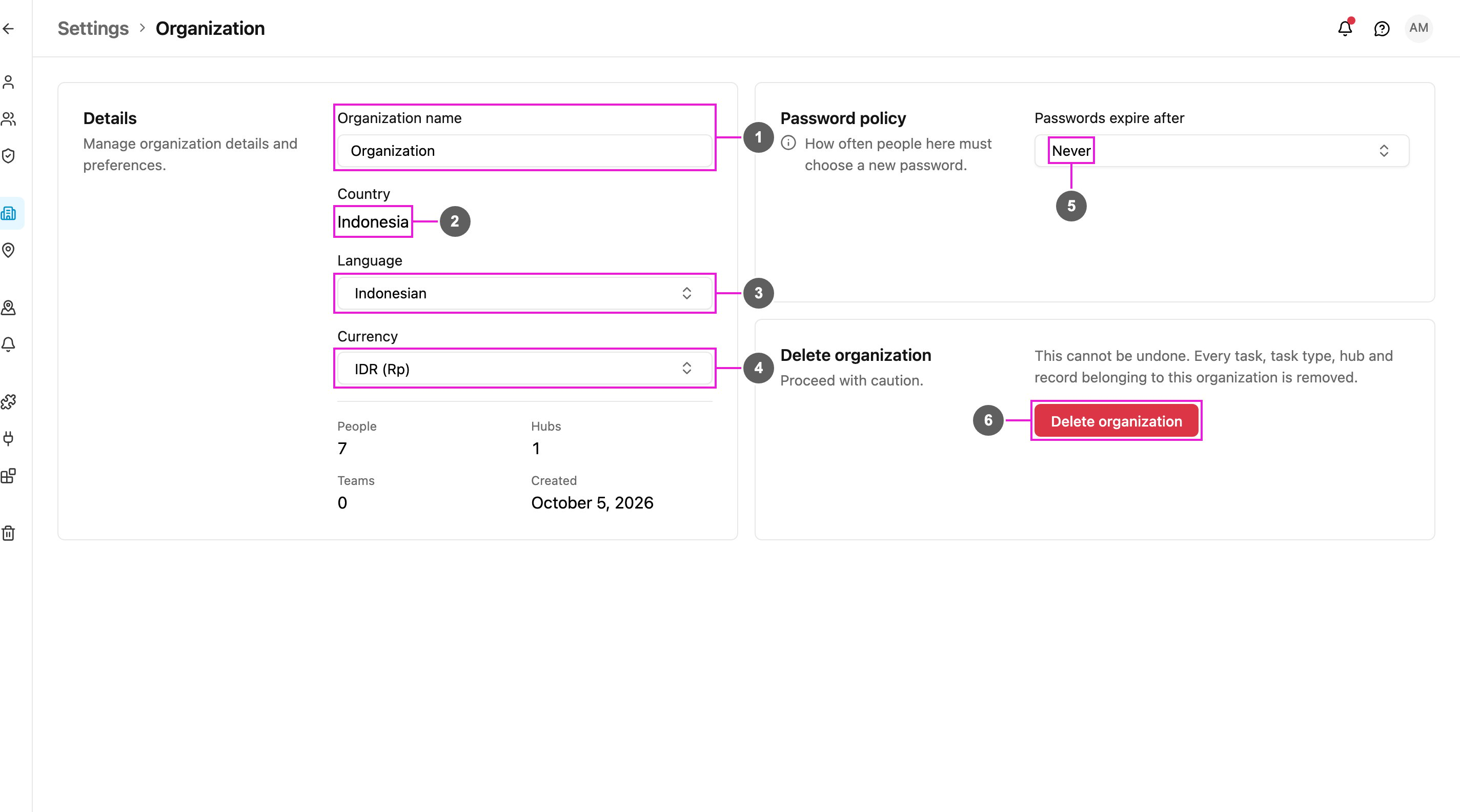
- Organization name: shown across the app, in emails and notifications, in public tracking, and wherever an automation message uses the organization name. It can’t be empty: An organization needs a name.
- Country: the country your organization works in. It sets regional defaults such as the phone code. It’s set when the organization is created and can’t be changed here.
- Language: the default language of the app and of notifications, for everyone who hasn’t chosen their own language in their profile.
- Currency: the currency used by bills, exports and totals. See Currency and Language.
- Passwords expire after: how often everyone must choose a new password. See Password Policy.
- Delete organization: removes the organization and everything in it. See Deleting Your Organization.