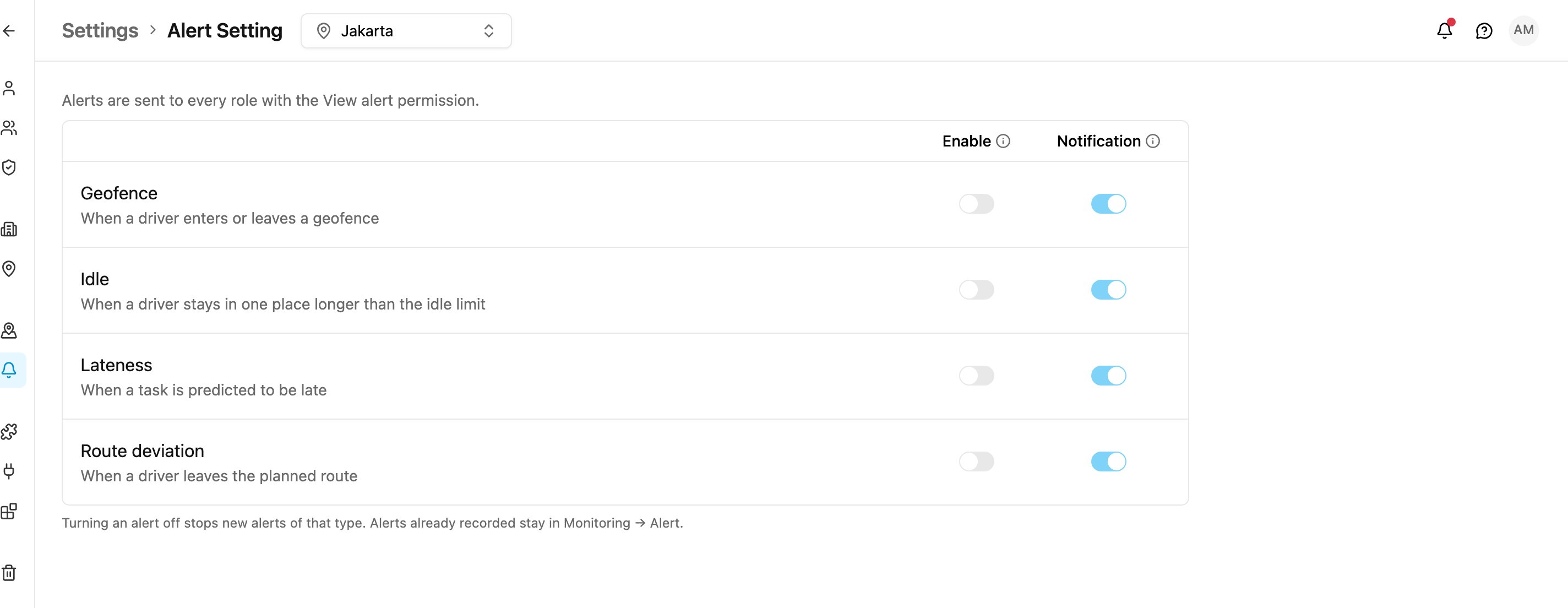
Alert Setting decides, for each type of alert, whether it is recorded at all and whether it also goes to the notification bell. It applies to the whole organization. Open Settings › Alert Setting.
Required permission:
  • View alert setting
  • Edit alert setting
Without Edit alert setting you can see the settings, but the switches are locked and the page says Only an admin can change this.
Alert Setting
The line at the top reminds you who receives alerts: Alerts are sent to every role with the View alert permission. To change who gets them, turn View alert on or off for a role in Permission.

Alert types

The switches

Each alert type has two switches. A change is saved as soon as you flip a switch; there is no Save button. The Notification switch can only be changed while Enable is on. Turning an alert off stops new alerts of that type. Alerts already recorded stay in Monitoring › Alert. The line at the bottom shows who changed the setting last and when, for example Last changed by Dewi Anggraini, 2 days ago.