

What people can see
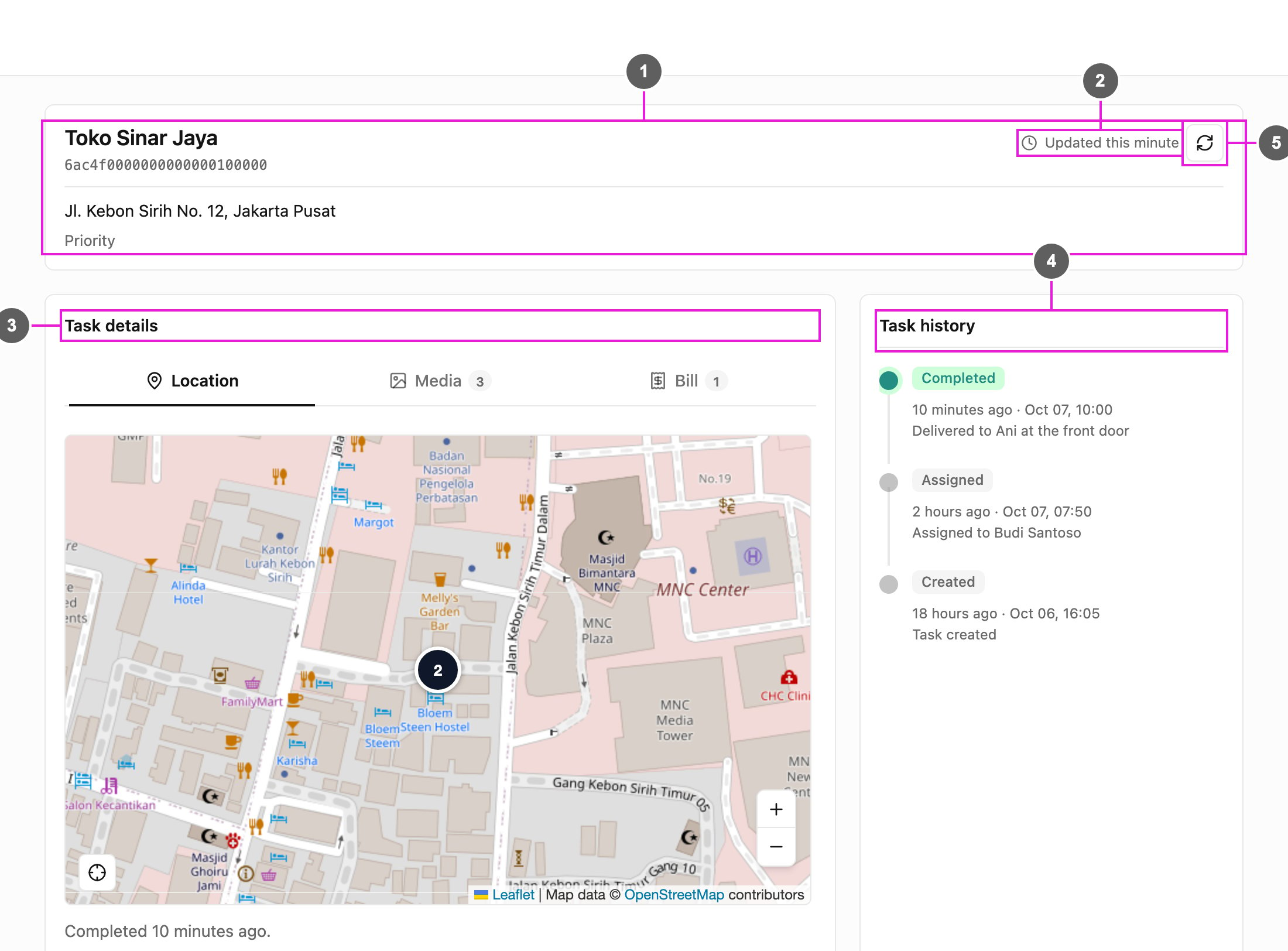
Anyone with the task ID can follow:- the task’s information: title, content and label,
- its current status and the history of what happened,
- where the task is on a map, and the field worker’s last location while the task is ongoing,
- the photos, bill and list captured on the task, when the task type has them.
- Deliveries and e-commerce: customers follow their delivery and see when it arrives.
- Field services: clients see when a technician is assigned, on the way, or done.
- Logistics and shipping: partners and recipients follow a shipment without access to your account.
- Home delivery: customers see where their courier is.
How it works
- Share the task ID or link. Every task has a unique task ID. Copy it, or the full tracking link, from the task’s detail. See Sharing Public Tracking.
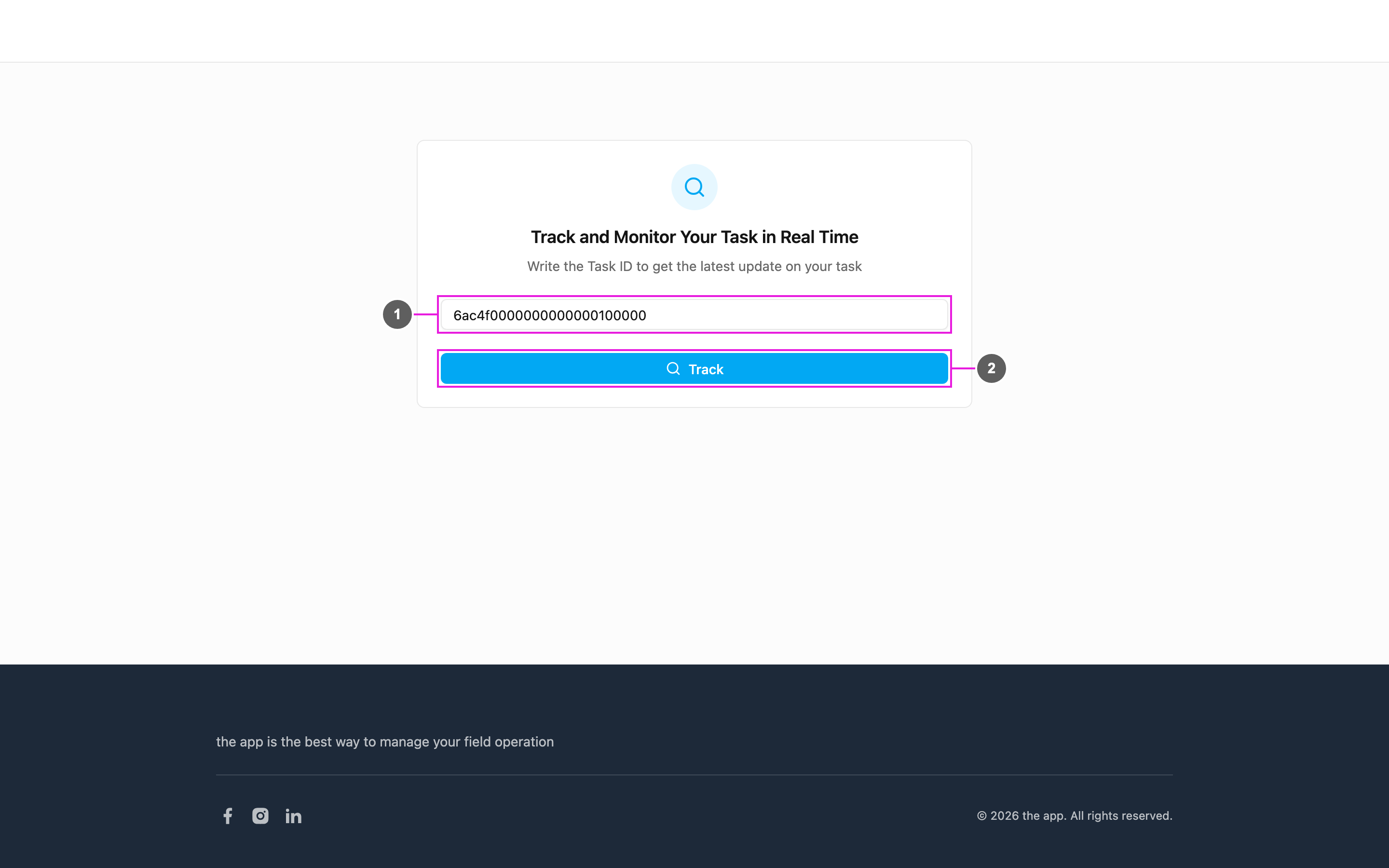
- Open the tracking page. The recipient opens the link, or opens the tracking portal (
/trackingon the web app’s address) and types the task ID. - Follow the task. The tracking page shows the task’s details, history and location. See The Tracking Page.
Key points
- No sign-in: recipients need no account. The task ID is all they need.
- Kept up to date: the page refreshes on its own every few minutes, and the recipient can refresh it at any time.
- History timeline: every step of the task, such as created, assigned and completed, with the time and a note.
- Map: the task’s location, and where the courier is or where the task was completed.
- Access by task ID: each task ID works as an access key. Only people who have it can see that task.
Get started
- Create a task with the information the recipient needs.
- Open the task and use Share to copy its link or task ID.
- Send the link (
/tracking/followed by the task ID) to the recipient.