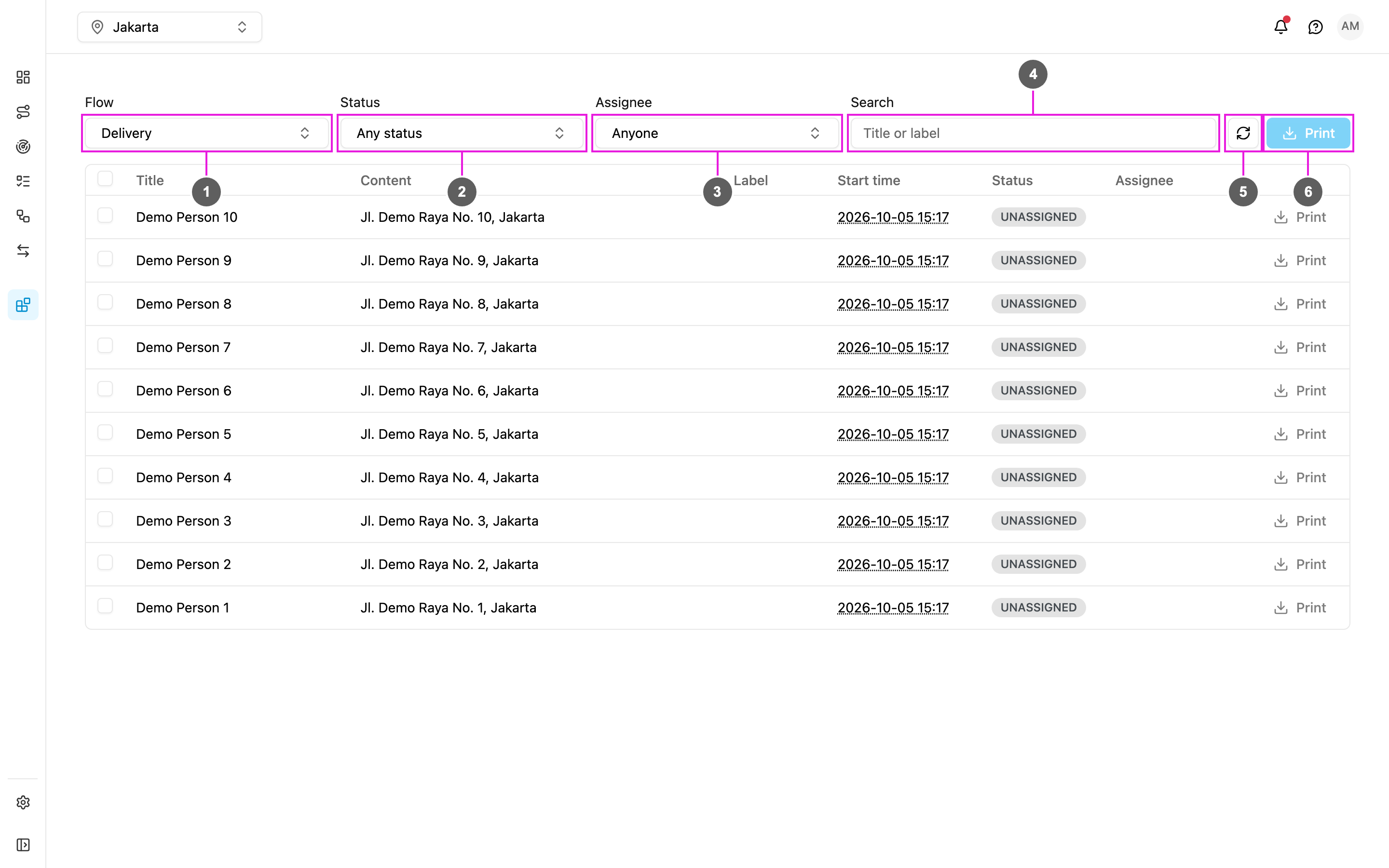
- Flow: tasks are listed per flow, so pick one first. Until you do, the page says “Pick a flow to begin”.
- Status: Unassigned, Ongoing or Done. Pick several to combine them.
- Assignee: one user, or Anyone.
- Search: the task title or label.
- Refresh: reload the list, keeping your filters.
- Print: print the ticked tasks.
Columns
Click Load more at the bottom to show the next tasks; it says how many of the total are shown. Click a task’s title to see its details.
Printing
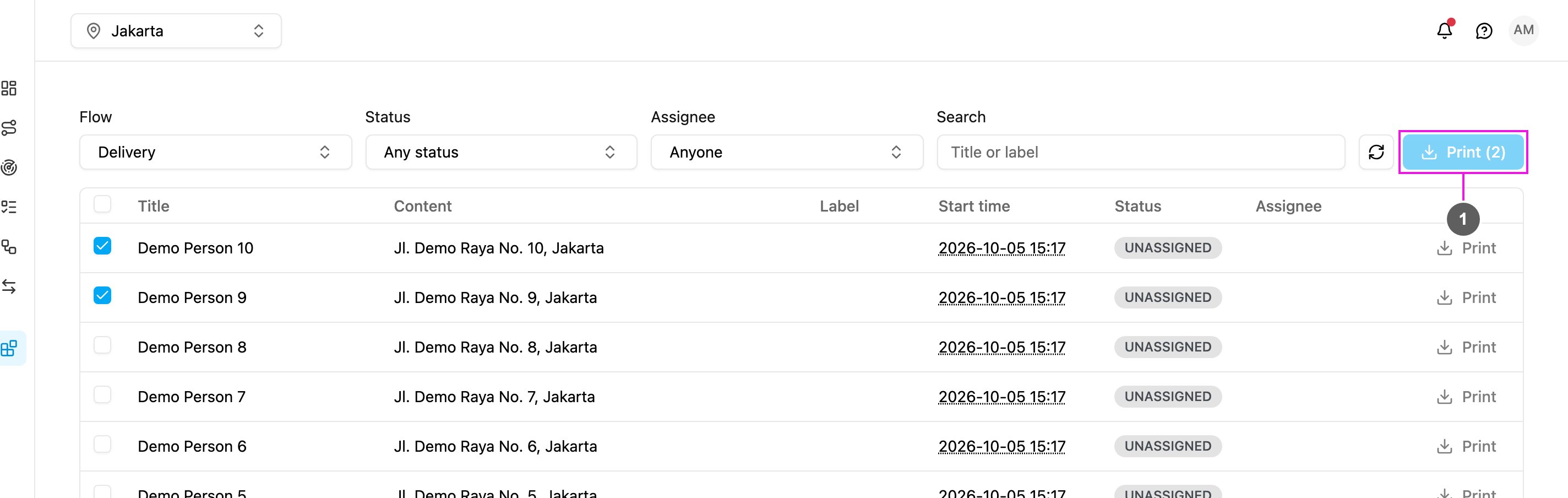
Tick the tasks and click Print (n).