

- Report type: one task type (for example Task - Delivery) or one data type (for example Data - Stores).
- Hub: the hubs whose records it shows. A shared data type has no hub.
- Columns: the fields it shows, in the order you set.
- Default filters (task reports only): the date range, status and assignee it starts with.
Required permission:
- View report
- Add report (to create a report)
- Edit report (to change a report)
- Delete report (to delete a report)
The report list
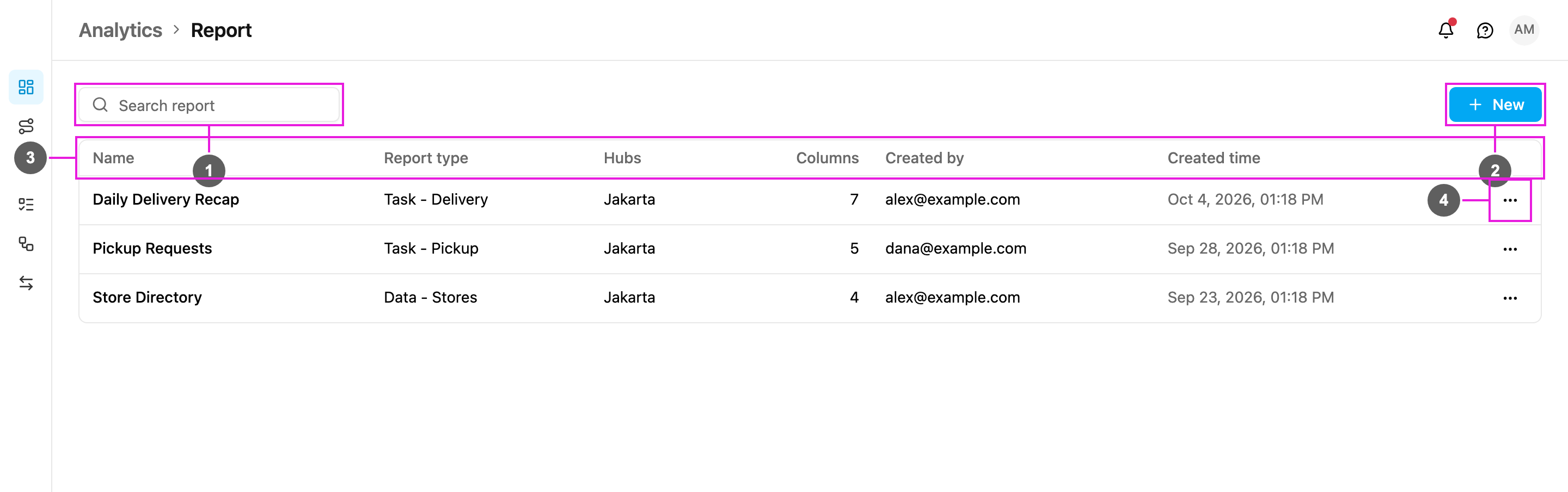
- Search report: find a report by name.
- New: create a report. See Creating a Report.
- Table: every report in your organization.
- ⋯: the actions for one report.
The list shows 10 reports per page. If nothing matches the search, it says No matching report, with Clear filters to show every report again. With no reports at all it says No reports yet.
Report actions
Click ⋯ on a report to open its actions.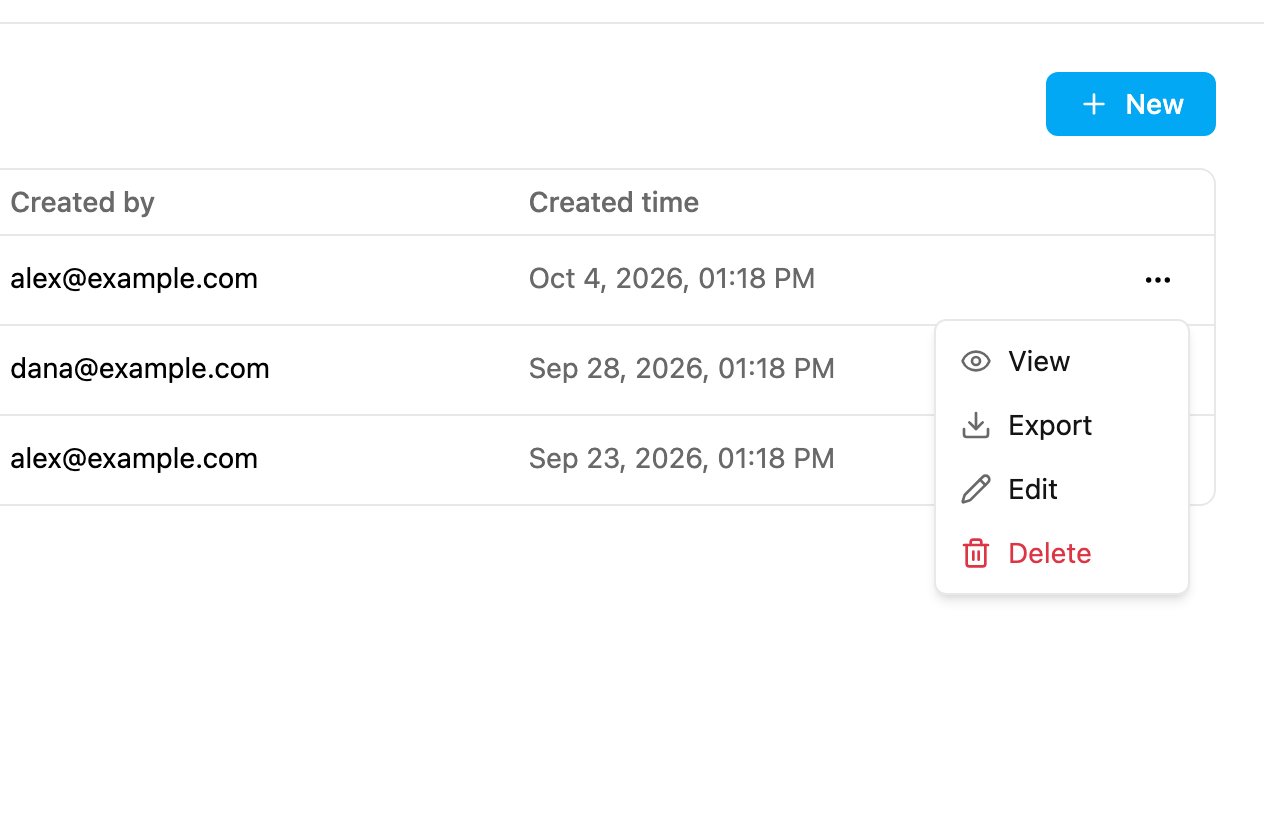
- View: show the report’s rows on screen. See Viewing and Exporting a Report.
- Export: download the report as an Excel file. See Viewing and Exporting a Report.
- Edit: change the name, hubs, default filters or columns. See Creating a Report.
- Delete: delete the report.
Delete a report
- Click ⋯ on the report, then Delete.
- The app asks you to confirm: “Report name” will be deleted permanently. Files already exported are not affected.
- Click Delete. The app says Report ”…” deleted.