> ## Documentation Index
> Fetch the complete documentation index at: https://docsv4.mile.app/llms.txt
> Use this file to discover all available pages before exploring further.
# Introduction
> Define the kinds of records your organization keeps, such as customers, stores or products, and the fields each record has.
A **data type** is the structure for one kind of record, such as *Customer*, *Store* or *Product*. It lists the fields every record has: a code, a name, a phone number, a coordinate, a link to another record, and so on. The records themselves are kept in [Data Source](/pages/workflow/data-source/introduction).
Once a data type has records, a task type can use them to fill task fields automatically: pick a customer on the web app or in the field app and the phone number, address and coordinate fill in by themselves. That is set up on the task type, see [Configuration › Data source](/pages/workflow/task-type/configuration#data-source).
Open **Workflow › Data Type**.
Required permission:
* View data type
* Create data type, Edit data type, Delete data type to change data types
## The data type list
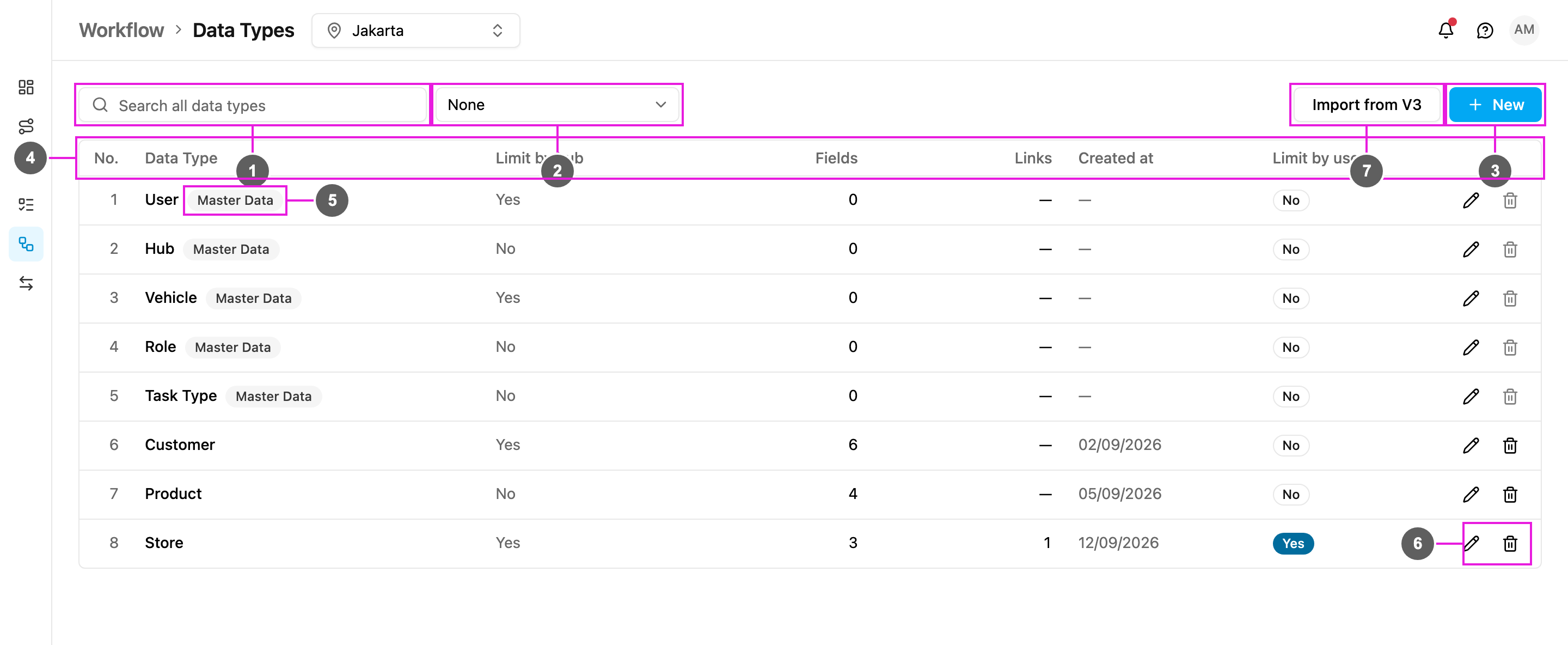
1. **Search all data types**: find a data type by name.
2. **Group by**: group the list (see below). **None** shows one flat list.
3. **New**: create a data type. See [Creating a data type](/pages/workflow/data-type/creating-a-data-type).
4. The table columns:
* **No.**: row number.
* **Data Type**: the name of the data type.
* **Limit by hub**: **Yes** means every record belongs to one or more hubs and people see only the records of the hub they are working in. **No** means the records are shared by every hub.
* **Fields**: how many fields the data type has, not counting links.
* **Links**: how many **Relation** fields it has, that is, links to another data type or to built-in data.
* **Created at**: the date the data type was created.
* **Limit by user**: **Yes** means each record can be limited to chosen users.
* **Actions**: **Edit** (pencil) and **Delete** (bin).
A data type that is still being imported from V3 shows a **Preparing** badge, and its Edit and Delete are disabled until it is ready.
5. **Master Data**: the built-in data types **User**, **Hub**, **Vehicle**, **Role** and **Task Type**. You can add your own fields to them, for example a *Region* on every hub, but you cannot delete them.
6. **Edit** and **Delete** a data type. See [Editing and deleting](/pages/workflow/data-type/editing-and-deleting).
7. **Import from V3**: bring in a data type made in the previous version of the web app. See [Import from V3](/pages/workflow/data-type/import-from-v3).
## Group the list
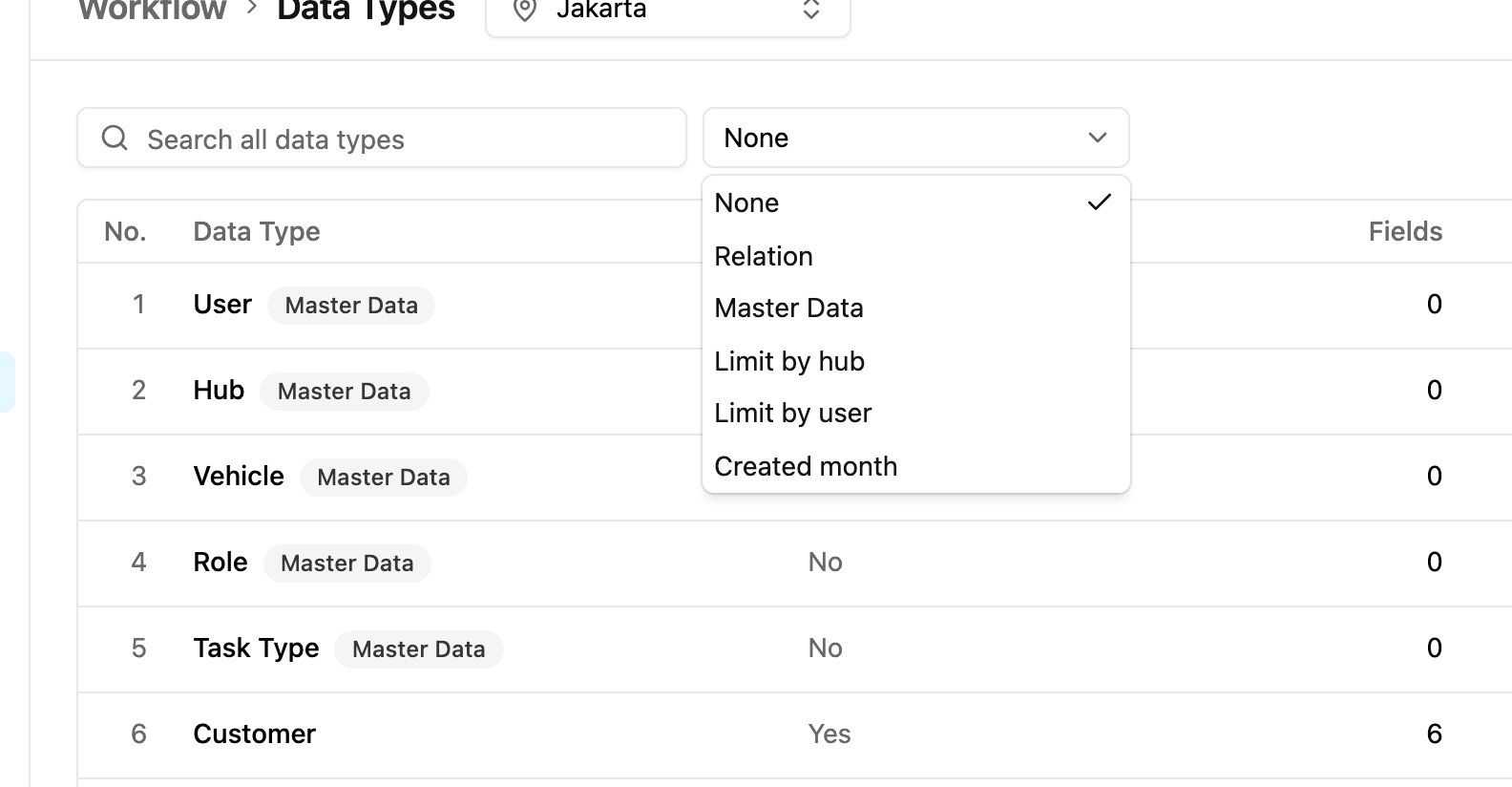
Open **Group by** to group the data types.
* **None**: no groups.
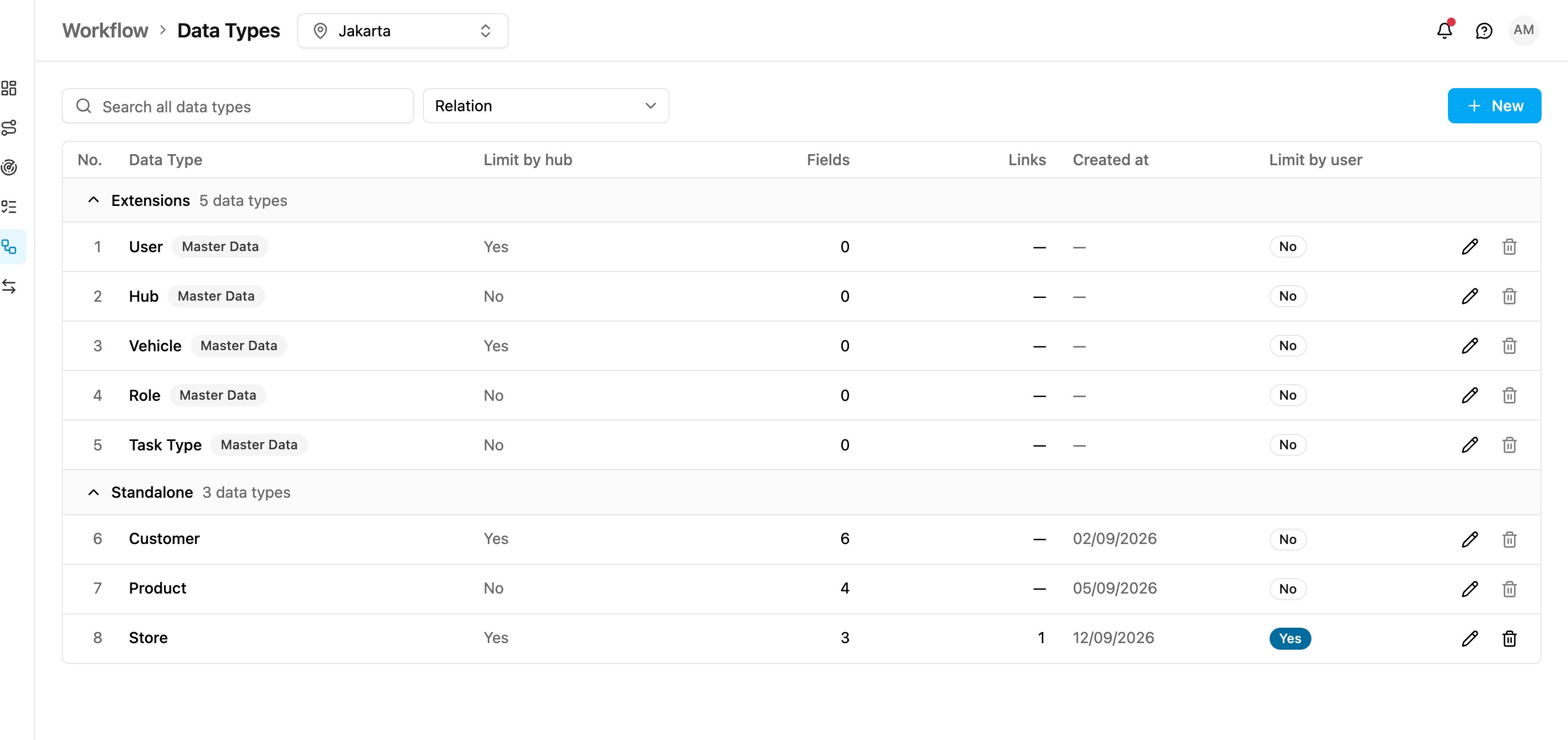
* **Relation**: **Extensions** (the Master Data types), **Standalone** (data types with no links), and one group for each set of data types connected by Relation fields.
* **Master Data**: built-in data types first, then your own.
* **Limit by hub**: data types limited by hub, then shared ones.
* **Limit by user**: **On**, then **Off**.
* **Created month**: one group per month the data types were created.
This is the list grouped by **Relation**:
## External data sources
Earlier versions could also create an **external** data type that read its records from another system's API instead of storing them. The web app can't create new external data types. Data types already set up as external keep their configuration, but the Data Source page lists only internal data types, so their records aren't shown there.
## In this section
* [Creating a data type](/pages/workflow/data-type/creating-a-data-type)
* [Field types](/pages/workflow/data-type/field-types)
* [Editing and deleting](/pages/workflow/data-type/editing-and-deleting)
* [Import from V3](/pages/workflow/data-type/import-from-v3)
This documentation is built and hosted on [Mintlify](https://mintlify.com), a developer documentation platform.