> ## Documentation Index
> Fetch the complete documentation index at: https://docsv4.mile.app/llms.txt
> Use this file to discover all available pages before exploring further.
# Editing and deleting
> View a record, change it in the table or in its dialog, and delete one or many records.
Required permission:
* View data source
* Edit data source to edit, Delete data source to delete
Each record has a **More actions** menu (**⋯**) at the end of its row.
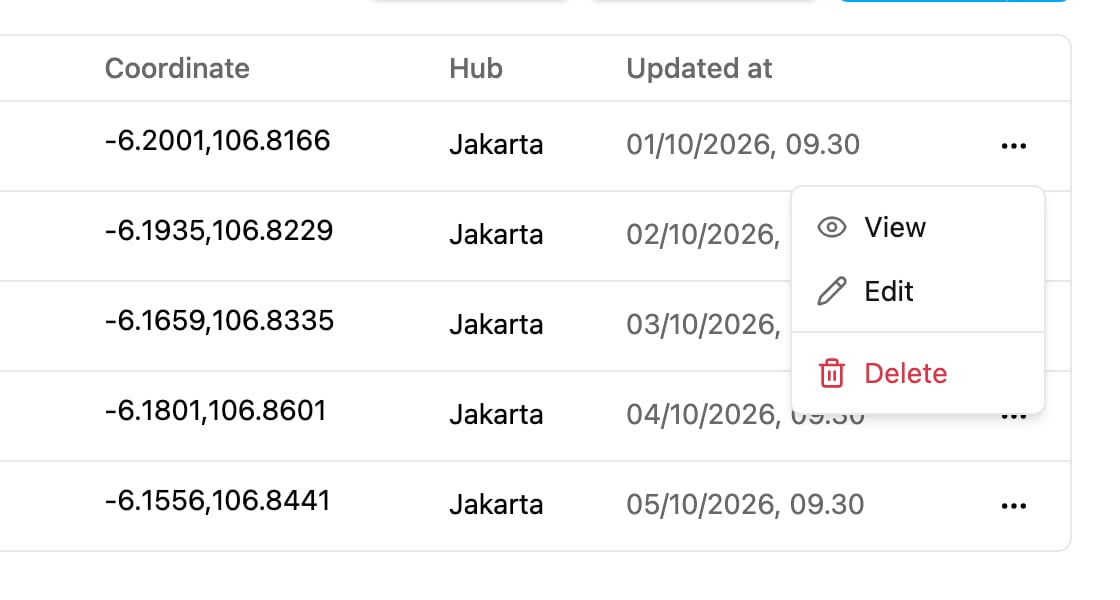
* **View**: open the record read-only.
* **Edit**: open the record in the **Edit \** dialog.
* **Delete**: delete the record.
## View a record
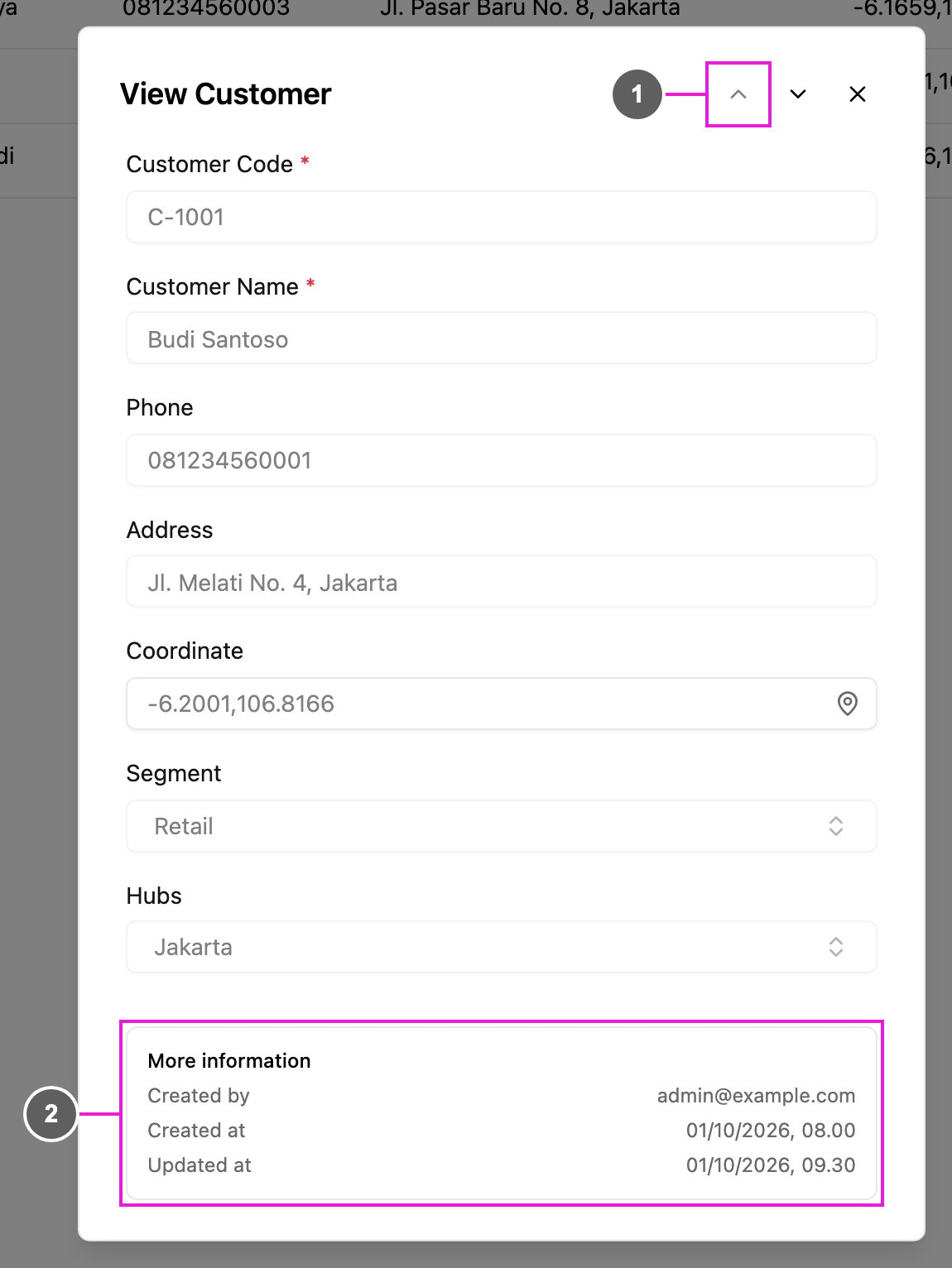
Click **View**. The **View \** dialog shows every field of the record, including the ones that aren't shown on the table.
1. **Previous record** and **Next record**: step through the records of the list without closing the dialog.
2. **More information**: who created the record (**Created by**), and when it was created (**Created at**) and last changed (**Updated at**).
Relation fields show the linked records. See [Linked records](/pages/workflow/data-source/linked-records).
## Edit a record
Click **Edit**, change the fields, and click **Save**. The dialog is the same as when you [add a record](/pages/workflow/data-source/adding-records): the same fields, **Hubs** and **Limit Data by User**. If you close it with unsaved changes, the web app asks **Discard unsaved changes?**
### Edit a cell in the table
You can also change one value without opening the dialog. Click a cell in the table, type the new value, and press **Enter** or click elsewhere to save it. Press **Escape** to cancel. **Multi option** and **Relation** cells can only be changed in the **Edit** dialog.
To change many records at once, upload them again with [Bulk add and edit](/pages/workflow/data-source/bulk-add-and-edit): rows whose Title matches an existing record update it.
## Delete a record
Click **Delete** in the record's menu. The web app asks **Delete this record?**; click **Delete**. The record is removed permanently.
## Delete several records
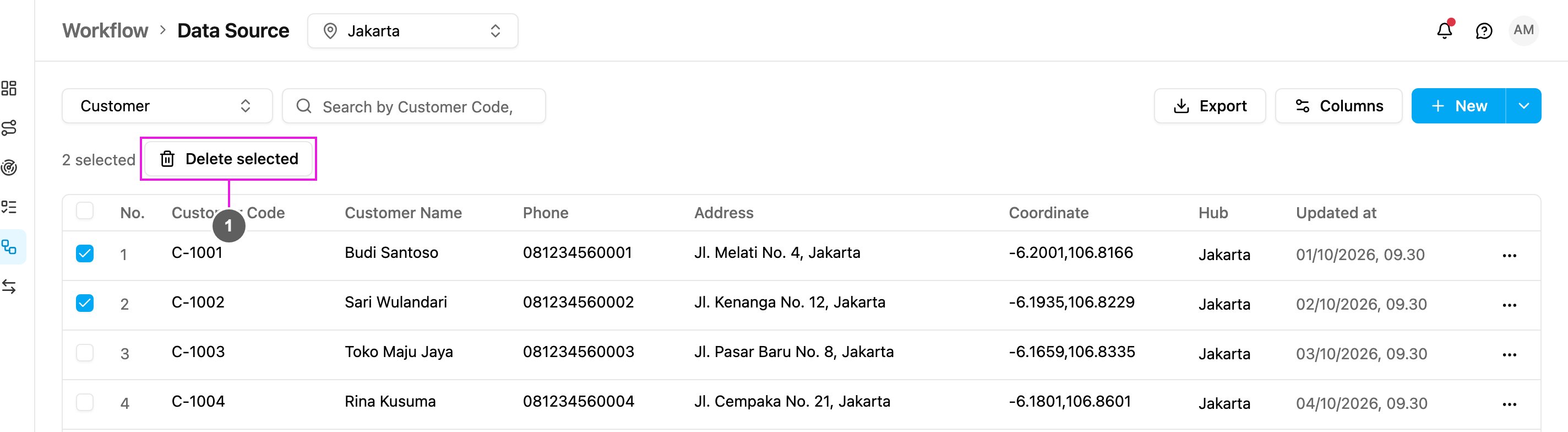
Tick the records to delete. To select every record on the page, tick the box in the table header.
1. **Delete selected**: the number of selected records is shown beside it. The web app asks **Delete N records?**; click **Delete**.
Up to 3,000 records can be deleted at once. If some records can't be deleted, a message says how many.
This documentation is built and hosted on [Mintlify](https://mintlify.com), a developer documentation platform.