> ## Documentation Index
> Fetch the complete documentation index at: https://docsv4.mile.app/llms.txt
> Use this file to discover all available pages before exploring further.
# On Routing Finished
> Send the routing result to your own system each time route optimization finishes.
**On Routing Finished** runs every time a [route optimization](/pages/planning/routing/introduction) finishes. With a webhook, the routing result is delivered to your URL as soon as it's ready, so a TMS or dispatch system can pick up the planned routes without anyone exporting them.
The event belongs to the **Routing Result** group. It has no task type and no rules.
Required permission:
* View automation
* Create automation
## Before you start
You need a URL that can receive the payload (an HTTP POST with a JSON body).
## Set it up
On **Workflow › Automation**, click **New**.
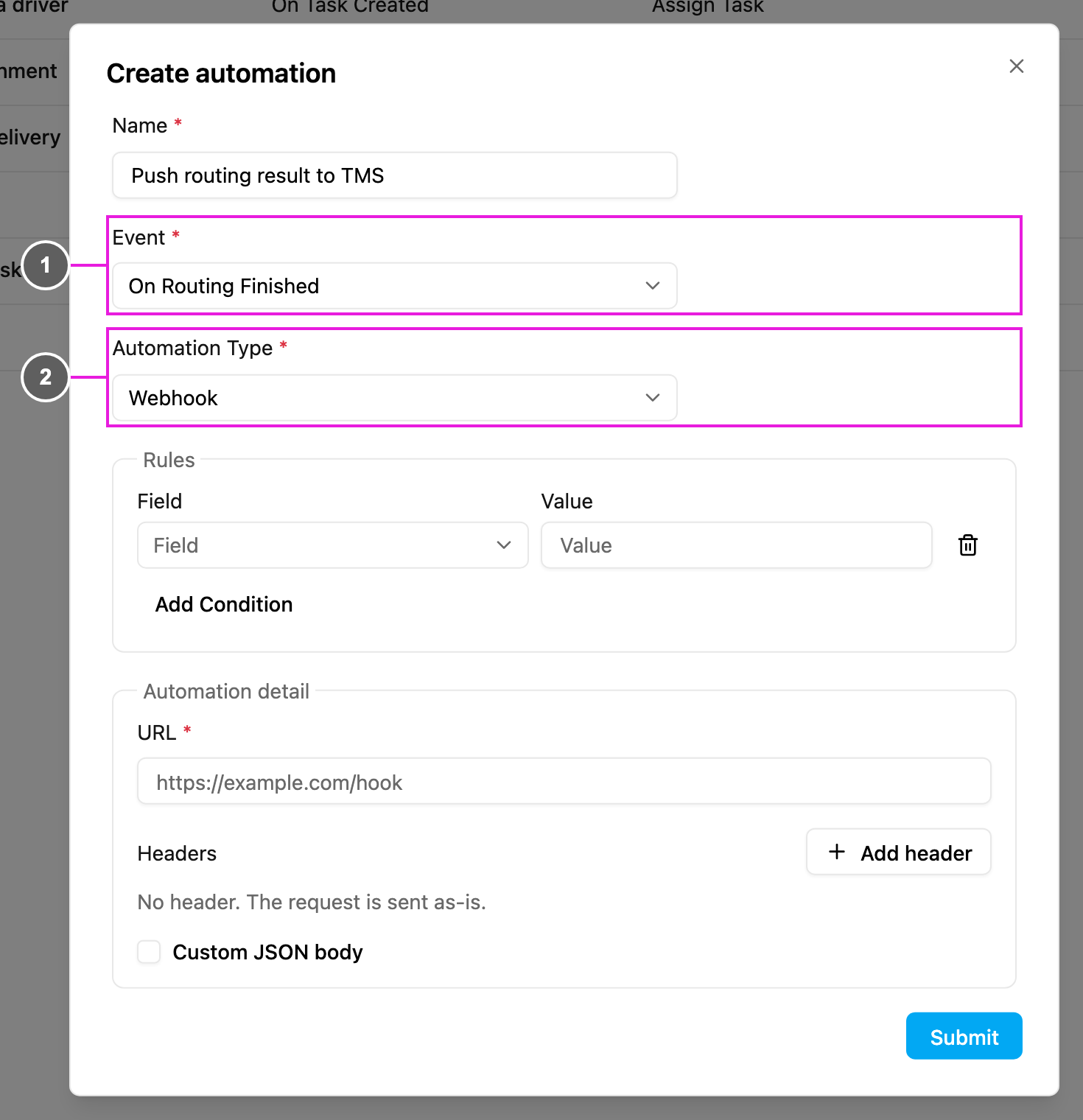
1. **Event**: **On Routing Finished**.
2. **Automation Type**: **Webhook**, the only type this event allows.
Then, under **Automation detail**:
* **URL**: where the routing result is sent.
* **Headers** (optional): click **Add header** for any header your endpoint needs, with its name and value, for example `Authorization` / `Bearer your-api-token`.
* **Custom JSON body** (optional): reshape the body. See [Webhook](/pages/workflow/automation/actions/webhook).
Fill in a **Name**, click **Submit** and make sure the automation is **Active**. From then on, the payload is sent every time route optimization finishes.
## Check it works
Open the automation's [log](/pages/workflow/automation/log). Each finished routing appears as a run with its status and the response from your endpoint. Retry failed runs from there.
## Use cases
* Send optimized routes to a TMS or ERP.
* Tell planners that the routes are ready.
* Start your own dispatch process right after optimization.
This documentation is built and hosted on [Mintlify](https://mintlify.com), a developer documentation platform.