> ## Documentation Index
> Fetch the complete documentation index at: https://docsv4.mile.app/llms.txt
> Use this file to discover all available pages before exploring further.
# Managing Roles
> Create, rename and delete roles.
## Create a role
Required permission:
* View role
* Create role
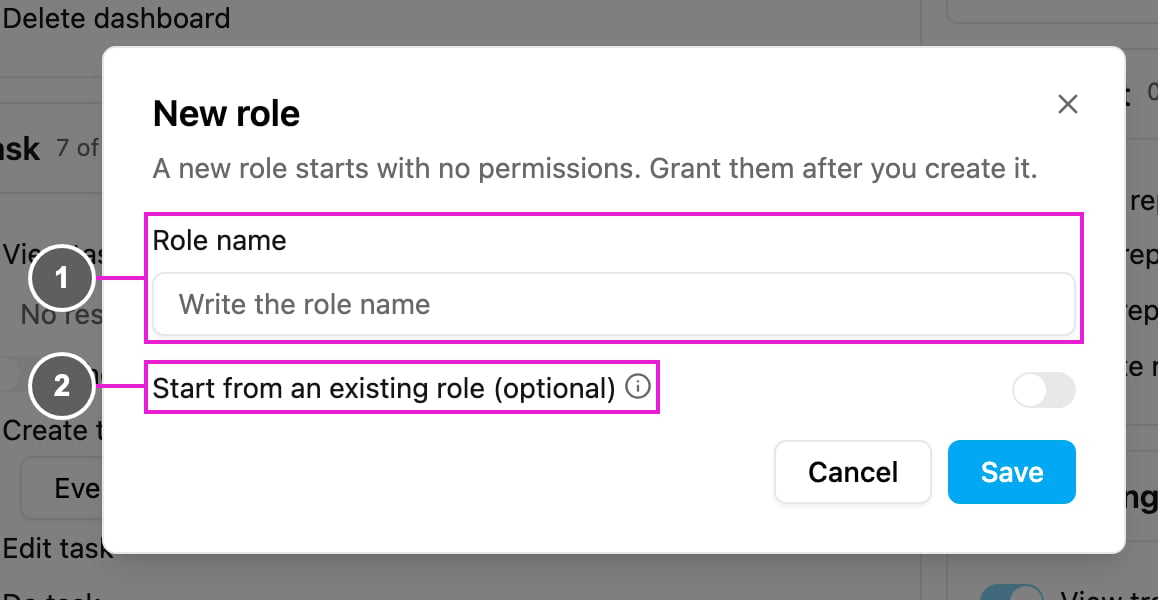
Open **Settings › Permission** and click **New**.
1. **Role name**: a name that is unique in your organization. A duplicate is refused with *A role with that name already exists.*
2. **Start from an existing role (optional)**: turn this on and pick a role to copy its permissions into the new one, then adjust them. Leave it off and the new role starts with no permissions.
Click **Save**. The new role appears in the role list. Select it, turn on the permissions it needs, and click **Save**.
Copying a role is the quickest way to make a variant, for example a *Senior Planner* that starts from **Planner** and adds a few permissions.
## Rename a role
Required permission:
* View role
* Edit role
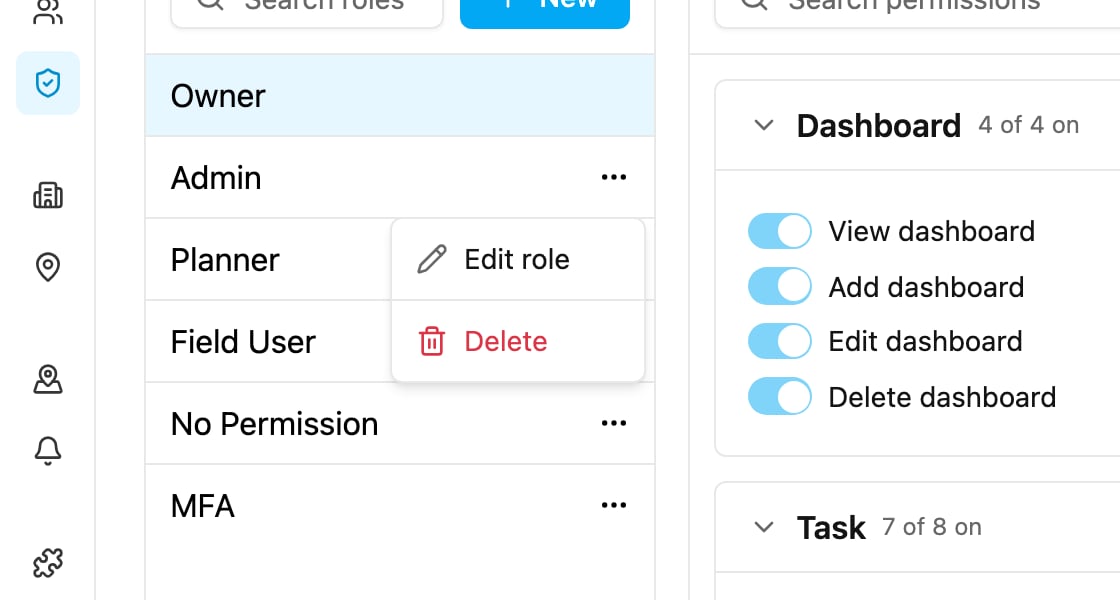
Click **...** beside a role and choose **Edit role**. Change the name and click **Save**. The role's permissions stay as they are.
## Delete a role
Required permission:
* View role
* Delete role
Click **...** beside a role and choose **Delete**, then confirm. People holding the role lose the access it grants. This can't be undone.
## Rules for roles
These rules apply in the app and in the API:
* A role's **name** must be unique in your organization.
* A role that is **assigned to one or more users** can't be deleted. Give those users another role first, then delete it.
* The **Owner** role can't be renamed or deleted, and there is always exactly one owner.
This documentation is built and hosted on [Mintlify](https://mintlify.com), a developer documentation platform.