> ## Documentation Index
> Fetch the complete documentation index at: https://docsv4.mile.app/llms.txt
> Use this file to discover all available pages before exploring further.
# Alert Setting
> Choose which alerts are recorded and which ones also send a notification.
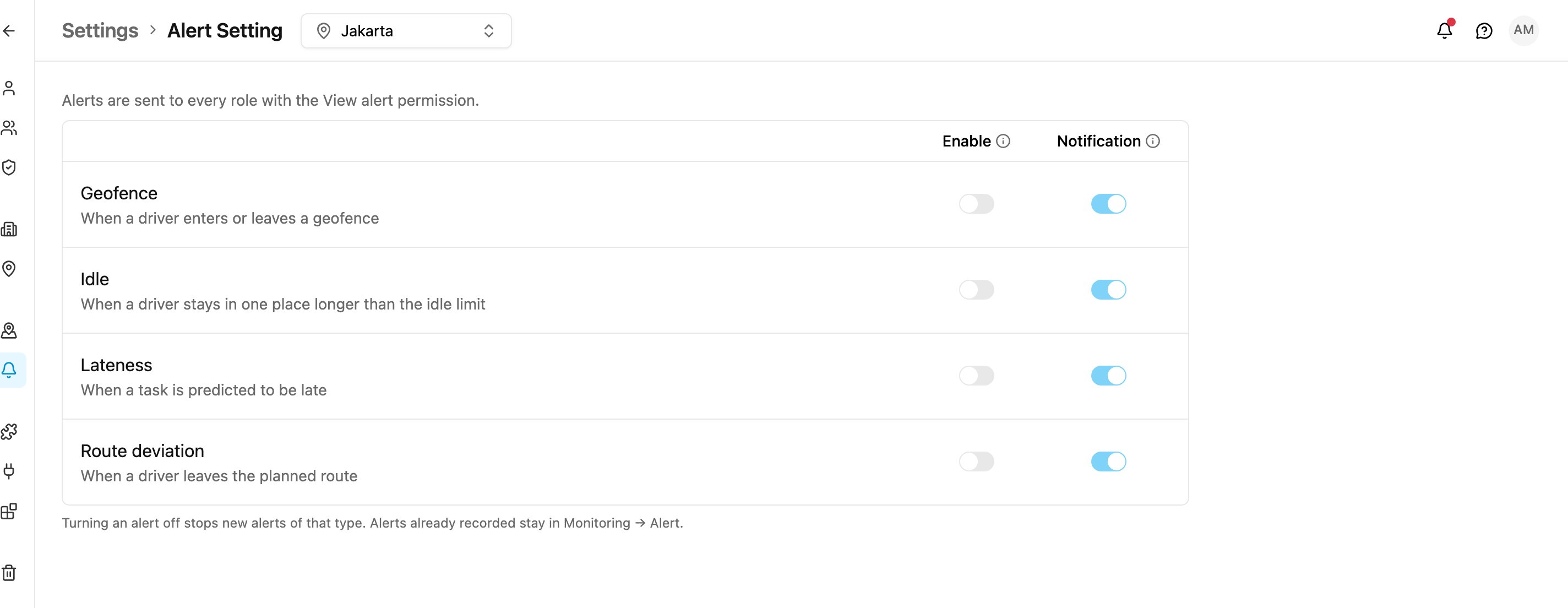
**Alert Setting** decides, for each type of alert, whether it is recorded at all and whether it also goes to the notification bell. It applies to the whole organization.
Open **Settings › Alert Setting**.
Required permission:
* View alert setting
* Edit alert setting
Without **Edit alert setting** you can see the settings, but the switches are locked and the page says *Only an admin can change this*.
The line at the top reminds you who receives alerts: *Alerts are sent to every role with the View alert permission.* To change who gets them, turn **View alert** on or off for a role in [Permission](/pages/settings/permission/introduction).
## Alert types
| Alert | Raised when |
| - | - |
| **Geofence** | A driver enters or leaves a [geofence](/pages/settings/geofence). |
| **Idle** | A driver stays in one place longer than the idle limit. |
| **Lateness** | A task is predicted to be late. |
| **Route deviation** | A driver leaves the planned route. |
## The switches
Each alert type has two switches. A change is saved as soon as you flip a switch; there is no Save button.
| Column | On | Off |
| - | - | - |
| **Enable** | The alert is recorded and shown. | Nothing is recorded or shown for this type. |
| **Notification** | The alert is also sent to the notification bell. | The alert is still recorded and shown in [Tracking](/pages/monitoring/tracking/introduction) and [Alert](/pages/monitoring/alert) history, but no notification is sent. |
The **Notification** switch can only be changed while **Enable** is on.
Turning an alert off stops new alerts of that type. Alerts already recorded stay in **Monitoring › Alert**.
The line at the bottom shows who changed the setting last and when, for example *Last changed by Dewi Anggraini, 2 days ago*.
This documentation is built and hosted on [Mintlify](https://mintlify.com), a developer documentation platform.