> ## Documentation Index
> Fetch the complete documentation index at: https://docsv4.mile.app/llms.txt
> Use this file to discover all available pages before exploring further.
# Avoid Toll Roads
> Plan routes that stay off toll roads.
With **Avoid Toll Roads** on, the optimization calculates the most efficient routes **without using toll roads** where possible. Use it to save toll costs or to follow your operational rules.
Required permission:
* View configuration
* Edit configuration
## Turning it on
1. Open **Planning › Routing › Configuration** and go to **Optimization**.
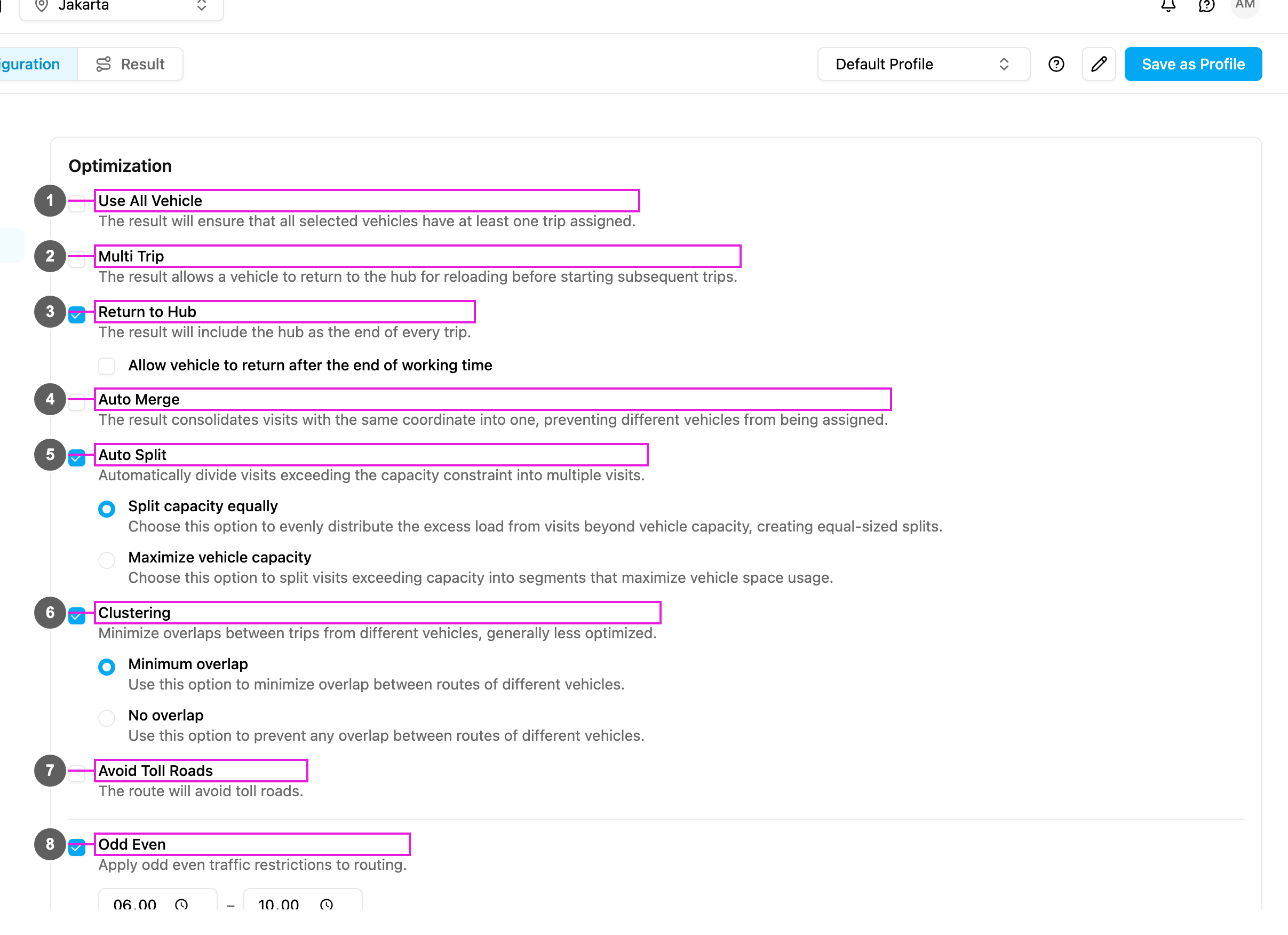
2. Tick **Avoid Toll Roads** (item 7 in the picture): **Routes will avoid toll roads where possible.**
The change is saved as soon as you make it.
From then on, optimizations with this profile leave toll roads out. Untick it at any time to allow toll roads again in later optimizations.
This documentation is built and hosted on [Mintlify](https://mintlify.com), a developer documentation platform.