> ## Documentation Index
> Fetch the complete documentation index at: https://docsv4.mile.app/llms.txt
> Use this file to discover all available pages before exploring further.
# Deleting a Task
> Delete one task or many tasks at once.
Required permission:
* View task
* Delete task
Export the tasks you want to keep track of **before** you delete them. A deleted task no longer appears when you export task reports.
## Delete one task
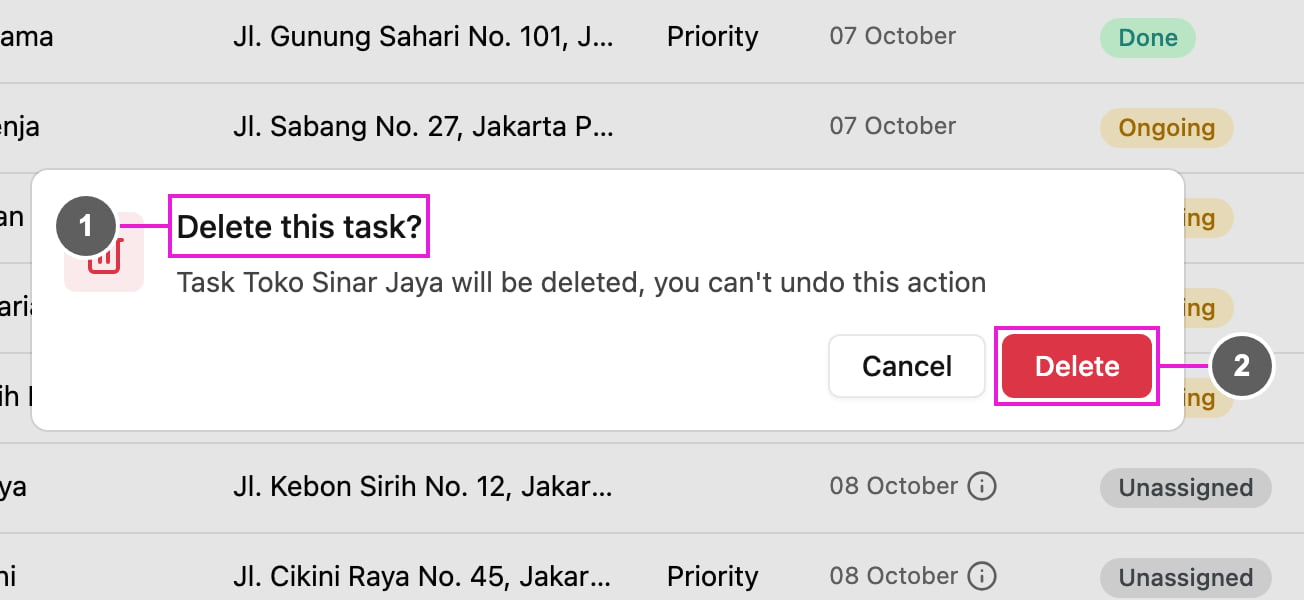
Click **Task actions** at the end of the row and choose **Delete**. **Delete this task?** asks you to confirm: the task is deleted and the action cannot be undone.
1. **Delete this task?**: names the task that will be deleted.
2. **Delete**: confirm.
## Delete many tasks
Tick the tasks, then click **Delete** in the bar that appears above the list. **Delete tasks?** says how many tasks will be deleted. See [Assigning Tasks](/pages/activities/task/assign-task#assign-many-tasks-at-once) for the bar.
## What cannot be deleted
* A task that is **Done** cannot be deleted: **Delete** is not offered for it, and done tasks among ticked ones are skipped with a message.
* A subtask cannot be deleted on its own. Delete its main task instead.
* When you delete the main task of a [subflow](/pages/activities/task/subflow-in-task), **Subflow delete confirmation** lists every task in the subflow, because they are all deleted together. Click **Yes, keep going** to delete them.
* A task shared to you by another organization can only be deleted by the organization that created it.
This documentation is built and hosted on [Mintlify](https://mintlify.com), a developer documentation platform.